
Beyond Translation: Safe Multilingual Captions for Medical Education and Patient Care

If you’ve ever watched a cardiology lecture with international trainees, you may have seen it: 1.0 mg on the slide, 1,0 mg in the translated captions. One dot, one comma—worlds apart when doses and patient safety are on the line. As medical videos cross borders—grand rounds, patient education, simulation debriefs—multilingual captions are no longer a nice-to-have; they’re clinical risk management, equity, and education strategy rolled into one. Why Multilingual Captions in Medicine Are Different Medical language is dense, high-stakes, and culturally nuanced. A caption misplacing a decimal or expanding an abbreviation incorrectly can lead to misunderstanding, while a perfectly translated but poorly formatted caption can overwhelm learners or patients. Safety: Medications, doses, and lab values are sensitive to unit and formatting errors.Compliance and equity: Serving Limited English Proficient (LEP) patients isn’t optional—standards like CLAS and institutional guidelines encourage accessible, comprehensible communication.Cognitive load: Clinicians juggle images, audio, and data while learning or teaching. Captions must support, not distract. A Safe, Repeatable Workflow (6 Steps) 1) Prepare your terminology– Build a glossary of drugs (generic and brand), abbreviations, devices, and units for your target audience and region. Example: acetaminophen (US) vs paracetamol (EU), HbA1c vs A1C.– Decide rules for numbers early: when to use numerals versus words, how to display decimals and thousands separators by locale.– Flag high-alert meds (e.g., insulin, heparin, KCl) for extra scrutiny. 2) Transcribe first, then translate– Start with a highly accurate, medical-grade transcript. Expand ambiguous abbreviations in context: “OD” becomes “right eye” in ophthalmology or “once daily” in pharmacy—don’t leave it to chance.– Keep drug names, doses, and units intact in the source transcript. Attach timestamps and speaker labels for clarity in discussions, panels, and case conferences. 3) Translate with clinical context– Protect meaning before words. Keep drug names consistent (brand/generic) and confirm the local convention for units (mmHg vs kPa) and decimal style (period vs comma). Avoid automatic unit conversions unless the video explicitly teaches them.– Resolve ambiguous abbreviations in the target language: “DC” might be discharge, discontinue, or disease control—spell it out.– Note code-switching: if the speaker uses Latin phrases (per os, q.i.d.) or switches languages, capture the concept in the viewer’s language without losing clinical nuance. 4) Format captions for readability and safety– Keep 1–2 lines per caption, with sensible line length and pacing. As a rule of thumb: up to 17 characters/second for patient-facing content; up to 20–22 for medical learners.– Never break a line between a number and its unit or between a drug and its strength. Good: “Heparin 5,000 units subcutaneously.” Not: “Heparin 5,000 / units subcutaneously.”– Sync captions with on-screen text. If a slide shows 10 mg, the caption should not display 0.01 g, even if equivalent—consistency reduces cognitive load.– Use sentence case and punctuation. Avoid all caps; it’s harder to read. 5) Perform dual QA: language + clinical– Bilingual medical reviewer: Verify clinical accuracy, term consistency, and locale conventions (e.g., decimal comma in many EU countries).– Caption specialist: Check timing, reading speed, line breaks, and on-screen alignment.– Spot-check high-risk zones: medication names, lab values (e.g., A1C 7.5%), vital signs (e.g., 98.6°F vs 37°C), and procedures. 6) Deliver with clarity and traceability– Export in standard formats (SRT, VTT) with language-region tags (e.g., es-419 vs es-ES) and provide a searchable transcript for reference.– Include the glossary and any unit/abbreviation policies used.– For patient-facing content, add a brief disclaimer: education, not personal medical advice. High-Risk Pitfalls to Watch For (and How to Avoid Them) Decimal vs comma: In many regions, 1,5 mg equals 1.5 mg. Never mix separators within the same video. Set a style and stick to it.Ambiguous abbreviations: OD/OS (right/left eye) vs OD (once daily); BID vs BD; DC (discontinue or discharge). Expand to full terms in captions.Sound-alike drugs: Clopidogrel vs clobetasol; metformin vs metronidazole. Use a glossary and force consistent spelling.Unit confusion: mcg vs mg; mL vs L; mmol/L vs mg/dL. Keep units consistent with the speaker’s presentation; do not convert silently.Brand/generic mix-ups: Consider adding the generic in parentheses for international audiences if the course allows: “Tylenol (acetaminophen).”– Breaking critical pairs: Never split dose/route or lab/value across lines or captions.– Speed overload: Dense captions at 25+ characters/second cause misses. Slow the pacing or condense noncritical phrases while preserving clinical content. Where MedXcribe Fits In MedXcribe is built for medical content, fine-tuned on clinical language so transcripts capture the right terms in the right context. That means fewer misheard drug names, clearer recognition of abbreviations, and clean exports to caption formats. You can: – Generate accurate transcripts with speaker labels and timestamps.– Apply custom glossaries for drugs, devices, and institution-specific terminology.– Export clean SRT/VTT files ready for translation and QA. Human review remains essential, especially for multilingual and patient-facing materials. MedXcribe streamlines the workflow so your reviewers focus on the clinical nuances, not fixing basic errors. The TakeawayMultilingual medical captions aren’t just translation—they’re patient safety, learning science, and inclusivity working together. With a solid workflow and the right tools, you can deliver captions that are readable, culturally appropriate, and clinically exact. Ready to make your next lecture or patient video safer and more accessible? Start with MedXcribe for accurate, medical-grade transcripts and caption exports, then apply the six-step workflow to produce multilingual captions you can trust.
From Grand Rounds to Googleable: Turn Your Medical Videos Into a Searchable Teaching Library

We all remember the teaching pearl we swore we’d never forget—until we can’t find it. A resident types “beer potomania hyponatremia management” into a search bar, skims ten PDFs, and still can’t locate the five-minute explanation from last month’s grand rounds. The problem isn’t the content; it’s the format. Most clinical wisdom is locked inside long videos and audio recordings. Transcripts and captions unlock that knowledge—instantly. With accurate, medical-grade transcription, your department can transform lectures, tumor boards, and journal clubs into a searchable library. That’s where MedXcribe, fine-tuned on medical language, shines. Why Transcripts Transform Medical Learning Instant searchability: Text makes dense content discoverable. Search for “SGLT2,” “Weber B,” or “Duke criteria” across your archive and jump to the exact timestamp.Faster review and better recall: Time-stamped quotes, speaker labels, and clear sectioning make it easier to rewatch only what you need.True accessibility: Captions support Deaf and hard-of-hearing learners, non-native English speakers, and clinicians listening on the go in noisy settings.Better note-taking and citations: Copy exact phrasing, reference slides by timestamp, and cite institutional talks with confidence.Reusable knowledge: Transcripts can power summaries, practice guidelines, and QI initiatives—reducing duplication of effort across teams. A Practical Workflow Using MedXcribe 1) Gather your source files– Pull recordings from grand rounds, case conferences, skills labs, and simulation debriefs.– Check permissions and remove or de-identify patient identifiers where appropriate. 2) Upload to MedXcribe– Import your audio/video. MedXcribe’s model is fine-tuned on medical vocabulary, improving accuracy for drug names, anatomy, and acronyms.– Enable timestamps and speaker labeling if available in your plan. This makes later navigation effortless. 3) Perform a focused quality check– Scan for critical terminology: meds (e.g., amiodarone vs amiloride), anatomy (ileum vs ilium), and rare eponyms.– Create a short “term check” list for reviewers to verify. For recurring series (e.g., cardiology), keep a running glossary. 4) Export and organize– Export transcripts as DOCX for reading and SRT/VTT for captions.– Use a clear naming convention: Specialty_Topic_Speaker_Date (e.g., Cardiology_HFrEF_Update_Singh_2025-08-12).– Store transcripts and videos side-by-side in your LMS or secure drive; embed captions for accessibility. 5) Make it searchable– Keep all transcripts in a shared folder or institutional knowledge base. Most platforms can index DOCX or TXT for search.– Add a one-line “Key Concepts” header to each transcript with 5–10 keywords (e.g., “SGLT2 inhibitors, ARNI, iron repletion, GDMT, CRT, HFrEF”). 6) Connect slides and timestamps– If slides are available, note slide-change timestamps in the transcript. Example: [Slide 12 – EMPEROR-Reduced outcomes]. This makes cross-referencing fast for learners and faculty. Pro Tips for High-Quality, Clinically Useful Transcripts Protect privacy: Always follow your institution’s policies. Obtain consent for educational distribution and redact identifiers in case-based talks.Standardize abbreviations: Expand at first mention (e.g., non-ST-elevation myocardial infarction [NSTEMI]) so the transcript remains readable and searchable.Keep captions readable: Aim for concise lines, natural phrase breaks, and consistent punctuation. Avoid all caps and keep line length reasonable to support reading speed.Label roles clearly: Tag Moderator, Speaker, and Audience questions. Add short cues like [applause] or [laughter] only when context matters.Run a second pass for critical errors: Focus on high-risk confusions (sound-alike drugs, similar anatomical terms). A two-pass review often catches what a single pass misses.Add lightweight metadata: For each transcript, note Specialty, Subtopic, Date, Speaker(s), and intended audience (UGME, GME, CME). This makes later retrieval far easier.Build a living glossary: As new terms appear (new trials, novel agents), add them to a shared glossary to guide future QA.Encourage faculty-friendly workflow: Share a “review window” link and a 10-item checklist. Busy speakers can validate the must-fix items quickly. A Mini Case Study Snapshot When a busy internal medicine program transcribed its last 12 months of grand rounds, search queries like “INR reversal DOAC intracranial hemorrhage” started returning precise timestamps in seconds. Attendance didn’t drop—engagement did the opposite. Residents arrived better prepared, discussions were deeper, and faculty were able to reference prior sessions without re-teaching from scratch. The TakeawayYour best clinical teaching shouldn’t be trapped inside hour-long videos. Transcripts and captions make every pearl findable, quotable, and accessible. Start small: pick five high-yield sessions, run them through MedXcribe, embed captions, and file the transcripts in a searchable folder with consistent names and keywords. Share the pilot with your team and watch how quickly it becomes the default way to learn. Ready to try it? Upload your next grand rounds to MedXcribe and turn insight into an on-demand, searchable resource for your entire program.
HIPAA‑Smart Captioning: Protecting Patient Privacy While You Transcribe and Publish Medical Videos
A cardiology department uploads a brilliant grand rounds video. The teaching is impeccable. The captions are crisp. And then someone notices it: a patient’s full name appears in a caption, spoken during a case presentation. The video is pulled, the team scrambles, and a teachable moment is born. Captions and transcripts can supercharge medical learning and accessibility—but they can also unintentionally leak protected health information (PHI). Here’s how to build a privacy‑first captioning workflow that keeps your content accessible, compliant, and trustworthy. Why captions amplify both access and risk Captions and transcripts are essential for:Accessibility: Ensuring Deaf and hard-of-hearing colleagues, trainees, and patients can fully participate.Learning: Increasing retention, enabling search, and supporting non-native English speakers.Research and QA: Powering qualitative analysis, audits, and documentation. But they also amplify risk because they make spoken content searchable and portable. A casual mention of a patient name, a date of birth visible on a slide, or an MRN read aloud becomes a permanent, copyable artifact. Where PHI sneaks into medical captions Spoken identifiers: Names, dates, addresses, unique conditions or rare combinations that can identify a patient.On-screen EHR or imaging details: Names in corner overlays, accession numbers, or screenshots.Metadata: File names, project titles, and transcript headers that contain patient identifiers.Cross-talk: Side comments captured during Q&A (“Mr. Riley did well overnight.”) that no one intended to publish. A privacy-first workflow you can use today 1) Classify your content before you record– Public education (YouTube, social): Treat as zero‑PHI. De‑identify cases rigorously.– Academic (grand rounds, CME): De‑identify unless access is strictly controlled behind logins.– Internal training/QI: Limit PHI to the minimum necessary.– Patient-facing telehealth: Obtain consent and follow your organization’s policies. 2) Capture clean audio and visuals– Script de-identified case language before recording: “the patient,” “a 64‑year‑old,” not names.– Crop or blur on-screen identifiers (DICOM overlays, EHR banners) during screen capture.– Remind presenters and moderators to avoid identifiers during Q&A. 3) Transcribe in a HIPAA-aware environment– Use a healthcare-focused platform that supports encryption in transit and at rest.– Keep access minimal: Only those who need to review should have permissions.– Seek a Business Associate Agreement (BAA) with your transcription partner when required under HIPAA.– Avoid sharing transcripts via email; use secure portals or your organization’s storage. 4) Review and de-identify systematicallyAdopt a simple redaction checklist before publishing:– Names, initials, addresses, contact details– Dates directly tied to a patient (DOB, admission, discharge)– MRNs, account numbers, device serials, images with facial features– Rare diseases or combinations that could identify a person in your region Practical tactics:– Replace identifiers with neutral terms: “the patient,” “family member,” “outside hospital.”– Use [REDACTED] tags for essential timeline references that can’t be generalized.– For research, follow HIPAA de-identification pathways (Safe Harbor or Expert Determination) per your IRB. 5) Choose the right caption format and controls– Sidecar files (SRT/VTT) are easier to update or retract than burned‑in captions.– Host sensitive content behind authentication and role-based access when possible.– Set retention limits; remove draft transcripts from shared folders once finalized. 6) Final pre‑publish checklist– Watch with captions on: Do you see any PHI? Any on‑screen overlays?– Search the transcript for patient names or dates.– Confirm video title/description/metadata are PHI‑free.– Log who approved publication and when. Real-world vignette: Fixing grand rounds, fast A residency program planned to share a superb case conference. During review, captions revealed: “Mr. James Riley returned on 03/18…” The team quickly:– Replaced the name with “the patient.”– Generalized the date to “mid‑March.”– Cropped out the EHR banner visible in a brief screen share.– Re‑exported captions as a sidecar file for easy updates without re‑encoding the video.The video went live—safe, searchable, and just as educational. How MedXcribe fits into a compliant workflow MedXcribe is purpose-built for medical audio and video, with models fine‑tuned on medical language to reduce mishears that can introduce risky errors. Higher accuracy means fewer false positives and less time hunting for mistakes. Ways teams use MedXcribe for privacy‑first captioning and transcription:1. Specialty-aware transcripts: Accurate terms reduce manual fixes that can accidentally insert PHI.2. Speaker labeling and timestamps: Quickly locate segments where identifiers may appear and edit precisely.3. Flexible exports: Generate SRT/VTT for easy de-identification updates without altering your master video.4. Secure practices: MedXcribe is designed for healthcare users and supports privacy‑conscious workflows. Contact us to discuss your organization’s security requirements, including BAAs and data handling options. Accessibility and equity, without compromiseFor patients and clinicians who rely on captions—Deaf and hard-of-hearing individuals, those in noisy clinics, multilingual learners—access isn’t optional. It’s a matter of equity. A privacy‑first approach ensures you don’t have to choose between accessibility and compliance; you can (and should) deliver both. Takeaway and next stepsCaption everything you can. De‑identify everything you must. And choose tools and practices that make both easy. If your team publishes medical videos, runs telehealth education, or conducts qualitative research, now is the moment to standardize a HIPAA‑smart transcription and captioning workflow. Ready to caption with confidence? Try MedXcribe on your next lecture, case review, or patient education video—and reach out to our team to discuss privacy needs, BAAs, and best‑practice setup for your organization.
Safety in Subtitles: How Accurate Medical Captions Prevent Errors
A single letter can change a dose. A mistyped decimal can change a life. In medicine, captions and transcripts aren’t just conveniences—they’re safety tools. Whether you’re sharing a grand rounds video, a patient education clip, or a simulation debrief, the words that appear on screen guide understanding and, sometimes, downstream decisions. That’s why accuracy in medical captions matters. In this post, we’ll explore where captions can go wrong in healthcare, how to build a safety-first workflow, and a practical checklist your team can use today. Where captions go wrong in healthcare Sound-alike terms: Hydralazine vs. hydroxyzine, Celexa vs. Celebrex, Lantus vs. Latuda. General speech-to-text systems often guess, and those guesses can be risky in a medical context.Numeric hazards: 0.5 mg vs. 5 mg; 10 mL vs. 10 mg; 1/100 vs. 1:100. Misheard decimals or units are among the most dangerous transcription errors.Negations and qualifiers: “No known drug allergies” misread as “Known drug allergies” flips meaning. So does missing a single “not” in counseling instructions.Abbreviations and acronyms: NPO, BID, q6h, ICU, HOCM—these need consistent expansion or confirmation. What’s obvious to a cardiology fellow may be opaque (or misread) in another department.Multispeaker conversations: In case conferences or clinics, incorrect speaker labeling can attribute statements to the wrong person, muddying responsibility or context.Accents and specialty jargon: Regional accents, rapid speech, and discipline-specific terms (rheumatology, neurosurgery, oncology) challenge general-purpose engines. The safety-first captioning workflow 1) Prepare your audio– Aim for clean recordings: reduce background noise, avoid cross-talk, use external mics when possible.– Brief participants: clarify that dosing, units, and medication names will be spoken clearly (e.g., “micrograms” instead of “mcg”). 2) Use a medical-grade engine– Choose a system trained on medical data. Domain-tuned transcription (like MedXcribe) recognizes drug names, anatomy, and clinical phrasing with higher precision.– If your tool supports it, add reference terms before transcription (drug lists, institution-specific abbreviations), especially for niche specialties. 3) Structure for verification– Keep timestamps and speaker labels. Accurate timing makes review feasible; clear speaker attribution reduces confusion in panels and case discussions.– Maintain original audio links for spot-checks. Reviewers should quickly jump to any moment in the video. 4) Two-pass review (yes, two)– Pass 1: Technical accuracy. Verify numbers, units, drug names, and negations. Expand abbreviations where appropriate for the audience (e.g., patient-facing).– Pass 2: Clinical sense-check. A clinician or medically trained reviewer confirms that the captioned content aligns with standard terminology and clinical logic. 5) Safety sweeps– Confusables scan: Search for known look-alike/sound-alike drugs used in your specialty.– Numbers and units audit: Manually confirm decimals and unit consistency (mg vs. mcg vs. mL; bpm vs. mmHg).– Negation check: Confirm phrasing for allergies, contraindications, instructions, and risk statements. 6) Contextualize for your audience– Patient-facing videos: Spell out units, simplify terminology, and consider adding brief definitions (e.g., “arrhythmia (irregular heartbeat)”).– Professional education: Keep standard shorthand but include a key at the start if acronyms are uncommon outside your department. 7) Finalize and version– Export captions in the required format (SRT/VTT) and keep a version history with date and reviewer initials.– For updates (guideline changes, corrected errors), publish a new version and note the revision in the description. A quick checklist your team can use today – Before recording– Choose a quiet room and proper mic.– Prepare a list of key terms, drug names, and units you’ll mention.– Brief presenters to articulate numbers and units clearly (say “point five milligrams,” not “point five”). – During transcription– Use a medical-tuned tool to reduce guesswork on clinical terms.– Ensure timestamps and speaker labels are generated. – Review pass 1 (technical)– Verify all medication names against a trusted reference.– Confirm every number and unit, especially decimals.– Check negations in critical sentences (allergies, dosing, contraindications). – Review pass 2 (clinical)– Have a clinician or trained editor read for meaning, not just spelling.– Expand or standardize abbreviations based on the audience. – Final packaging– Export to SRT/VTT and test on the target platform (YouTube, LMS, EHR education portal).– Archive the final version with reviewer sign-off and date. A brief story to illustrate the point A teaching hospital recorded a pharmacology refresher for interns. In the auto-generated captions from a general tool, “micrograms” appeared as “milligrams” multiple times. A resident caught it during review, averting confusion for the incoming class. The fix wasn’t heroic—just a safety-first workflow that assumed captions can be wrong until proven right. In healthcare, that assumption is not pessimism; it’s good practice. Why MedXcribe helps MedXcribe is tuned on medical data, which means it understands the way clinicians speak: the drug names, the abbreviations, the cadence of multidisciplinary discussions. That reduces the noise in your workflow so your reviews target the real edge cases, not basic errors. You get accurate captions and transcripts faster, with less manual cleanup. The takeawayCaptions and transcripts in medicine aren’t merely about access—they’re about accuracy, safety, and trust. Build a workflow that treats numbers, units, and terminology as safety-critical. Use a domain-trained engine to start clean. Then review twice. Ready to put a safety-first captioning process in place? Try MedXcribe on your next lecture, simulation debrief, or patient education video, and see how medical-grade accuracy can simplify your team’s review—and protect your audience.
From Beeps to Breakthroughs: How Transcripts and Captions Upgrade Medical Simulation

The room buzzes with monitors. Someone calls for epinephrine. Another confirms “dose checked,” but did they? In the heat of a simulation, our working memory narrows. Afterward, the debrief depends on what participants think they heard—often an imprecise replay. That’s where transcripts and captions change the game. By turning complex simulations into searchable, reviewable moments, teams learn faster, remember better, and include every learner at the table—especially those who are hard of hearing, neurodivergent, or learning in a second language. Why transcripts and captions matter in sim labs Make communication observable: Simulation is about teamwork as much as technical skill. Transcripts reveal closed-loop communication, role clarity, medication checks, and escalation phrases. You can literally point to the moment someone confirmed (or missed) a critical order.Improve accuracy and reduce bias: Debriefs based on recall can be skewed by hierarchy or stress. Time-stamped transcripts ground feedback in facts, not impressions.Include every learner: Captions support learners with hearing loss, auditory processing differences, or non-native English speakers. Everyone benefits from reading and hearing complex terms—think pronouncing amiodarone correctly under pressure.Build a searchable knowledge base: Tag and revisit key moments across cohorts—“first shock delivered,” “airway reassessment,” “dose verification.” Over time, your program sees patterns and progress.Ease cognitive load: Participants can focus on the scenario knowing the dialogue will be captured. Debriefs become about insight, not recollection. A practical workflow that works Plan for clarity and consent– Use a standard consent blurb for participants. Post signage that recording is in progress. If you will use clips for teaching beyond the cohort, say so explicitly.– Avoid real PHI in scenarios. If you incorporate real cases, de-identify details (names, dates, locations) before recording, and follow your institution’s privacy policies. Capture clean audio without fuss– Mic the leader and one other role (e.g., airway) with clip-on mics. Place a boundary mic to capture the room. This combo keeps dialog intelligible while preserving team context.– Minimize noise: close doors, reduce HVAC hum if safe, and separate the monitor speaker from the main mic.– Sync key events: A hand clap at start helps align multiple audio/video feeds later. Transcribe with medical precision– Upload your recording to MedXcribe. Because it’s fine-tuned on medical language, it recognizes drug names, dosages, procedures, and acronyms with high accuracy.– Enable features that boost learning: 1. Speaker labels (diarization) to distinguish roles. 2. Timestamps every 15–30 seconds for quick jumping. 3. Custom vocabulary for institution- specific terms (e.g., “Code Blue Protocol 7,” “Hugo pump”). 4. Automatic highlights to surface moments like orders, vitals changes, or check-backs. Turn transcripts into a debrief toolkitTag moments: Mark “closed-loop success,” “dose verification,” “handoff clarity,” and “team escalation.” Use these tags across cohorts to track progress.Show, don’t tell: Play a 15-second clip with captions where the order gets misheard, then show the transcript line. Ask the team to rewrite the communication.Build quick reference packs: Export a one-page debrief summary with key quotes, timecodes, and learning points. Learners can revisit the exact moment they want to improve.Create accessible content: Add closed captions to session recordings for asynchronous learners. This supports ADA/WCAG accessibility and improves comprehension for complex terminology. Keep it safe and compliantPrivacy first: If transcripts include any real PHI, treat them as protected data. Restrict access, encrypt storage, and define retention periods.Publish or research: If you intend to publish or research your sim transcripts, consult your IRB. Plan de-identification from the start.Share appropriately: Use your LMS or a secure team drive with role-based permissions. Avoid sending full transcripts via email.Language equity: For international cohorts or diverse teams, consider multilingual subtitles. Standardize drug naming (generic over brand) to prevent confusion. A quick starter kit for your next session This week: Record one scenario with a leader lapel mic and a room mic. Upload to MedXcribe and generate a time-stamped transcript.During debrief: Review two tagged moments—one communication win, one improvement opportunity—using the transcript as a neutral anchor.Afterward: Export a brief summary with key quotes and timecodes. Share with your learners and faculty. Real learning happens in the replay. When the beeps fade, captions and transcripts keep the signal and cut the noise. They make communication visible, growth measurable, and education accessible to every clinician in the room. Ready to try it? Bring MedXcribe to your next simulation or debrief and see what your team hears when accuracy, accessibility, and insight come together
Clinically Safe Captions: Preventing Misreads in Medical Videos and Transcripts
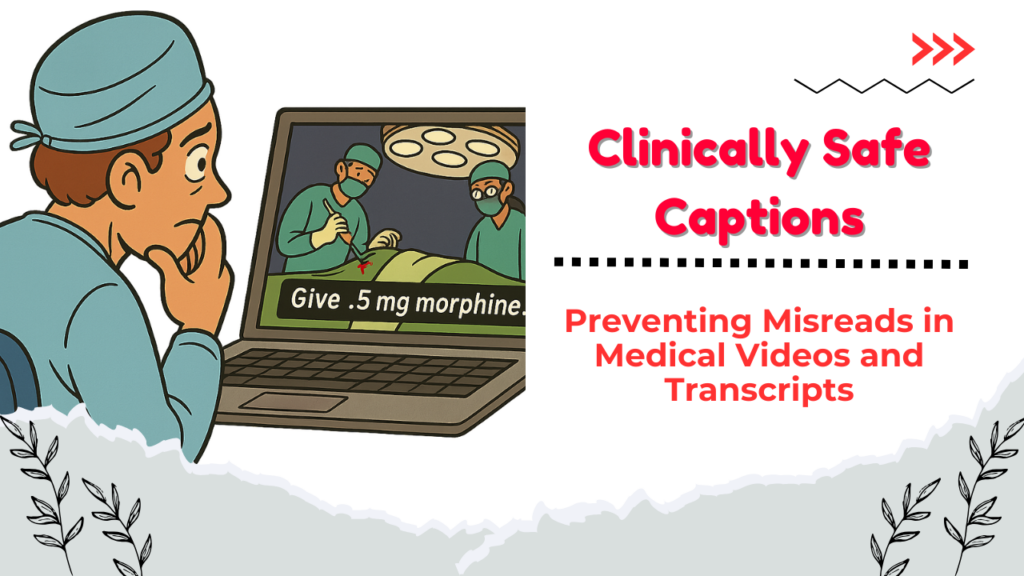
A resident paused a recorded surgery late one night, squinting at the captions: “Give .5 mg morphine.” The period before the 5 was easy to miss. Was it half a milligram—or five? In real life, that ambiguity could be dangerous. When medical education, patient communications, or telehealth recordings rely on captions and transcripts, clarity isn’t just nice to have—it’s a safety requirement. MedXcribe was trained on medical language, so it hears the words. But how those words are displayed matters just as much. Why Caption Safety Matters in Healthcare Risk of misinterpretation: Unlike lecture captions on general topics, medical captions often contain drug names, dosages, rates, and units. A small formatting mistake can change meaning.Equity and accessibility: Deaf and hard-of-hearing clinicians, students, and patients rely on captions. So do non-native English speakers. Clear, standardized formatting reduces cognitive load for everyone.Compliance and trust: Hospitals and universities increasingly archive video education, town halls, and patient webinars. Demonstrating a disciplined approach to captions builds institutional reliability. What Clinically Safe Captions Look Like Think of captions as a medication label: precise, consistent, and unambiguous. Here are practical rules you can apply today. 1) Numbers, Units, and Doses– Always lead with a zero for values less than 1: write 0.5 mg, not .5 mg.– Use standard unit abbreviations and avoid mixing: mg, g, mL, L, mcg (or µg if your platform supports it consistently). Avoid inconsistent capitalization (ml vs mL).– Spell out high-risk look-alikes: microgram can be written as mcg if platform support for µ is inconsistent; avoid u or µ without institutional approval.– Space between number and unit: 10 mg, not 10mg.– Avoid trailing zeros: 5 mg, not 5.0 mg.– Use consistent thousand separators and decimal markers (regional standards matter). In international content, include a slide or note with your convention. 2) Drug Names and Procedures– Use generic names unless brand specificity is clinically relevant; capitalize brand names consistently.– Expand ambiguous abbreviations at first mention: “TTE (transthoracic echocardiogram)” then TTE thereafter.– Avoid dangerous abbreviations: U for units, QD, QOD, IU. Prefer units, once daily, every other day, international units.– Distinguish sound-alike drugs with context: “hydralazine (for blood pressure)” vs “hydroxyzine (antihistamine/anxiolytic)” in educational content where confusion is possible. 3) Timing, Speaker, and Context– Use speaker labels for multi-speaker recordings: Dr. Patel:, Anesthesia:, Scrub Nurse:.– Include timestamps at meaningful intervals (e.g., every 30–60 seconds) in transcripts for quick reference during reviews.– Keep captions concise: 1–2 lines per frame; 32–42 characters per line is a helpful rule of thumb.– Synchronize carefully for procedures: align critical steps (e.g., “clamp applied” or “heparin administered”) with the actual moment. 4) Readability and Accessibility– Use sentence case. ALL CAPS can be misread and is harder for screen readers.– Use plain language when addressing patients: “heart attack (myocardial infarction).”– Provide glossaries for specialized series (e.g., a short list of acronyms at the start of a course).– Be mindful of color contrast when burning subtitles into video. 5) Quality Review– Create a short “caption safety checklist” your team signs off before publishing.– Prioritize review of numeric content, abbreviations, and drug names.– For live events, add a post-event proofing pass and republish corrected captions. A Mini Case: Grand Rounds Without Guesswork A teaching hospital recorded a one-hour cardiology grand rounds. Using MedXcribe, they loaded a glossary (antiarrhythmics, device brand names), applied a caption style preset (leading zeros, mcg spelled as mcg, no trailing zeros), and ran a focused check on dosages. During review, they caught “metoprolol 25.0 mg” and fixed it to “25 mg,” and expanded “qd” to “once daily.” Publishing took under an hour after the live talk, and evaluations showed viewers rated the captions “very clear,” especially international trainees. The TakeawayGreat audio recognition is step one; safe, standardized captions are step two. In medicine, tiny details—zeros, units, abbreviations—carry big consequences. By pairing MedXcribe’s accuracy with a simple safety style guide and a short, targeted review, you’ll produce captions and transcripts you can trust in classrooms, clinics, and patient education. Ready to elevate your caption safety? Try creating a one-page style guide for your next video, then run it through MedXcribe and do a five-minute numeric-and-unit check. Your audience—and their safety—will notice.
Beyond Borders: Multilingual Captions That Bring Medical Education to the World
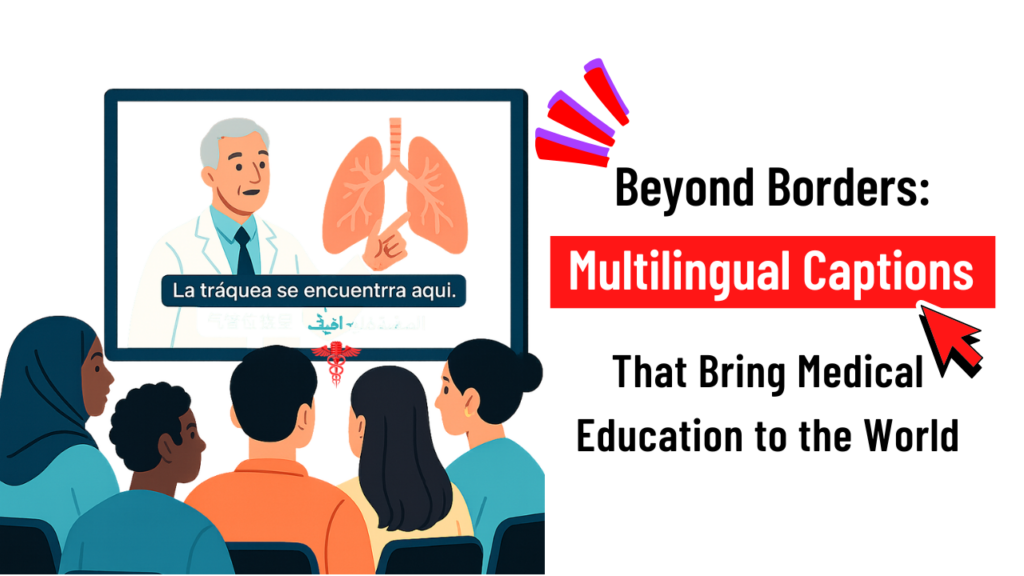
At 2:00 a.m. in Nairobi, a cardiology fellow presses play on a recorded grand rounds from Boston. The lecturer speaks quickly—eponyms, drug classes, trial acronyms flying by. English isn’t the fellow’s first language, and the Wi-Fi crackles. But the video has precise captions, and a switch toggles them into Swahili. The lecture lands. Notes get taken. Patients benefit. That’s the quiet power of multilingual captions in modern medical education. Why Multilingual Captions Are Changing Medical Learning – Medicine is a global language, but its vocabulary is dense: terms like empagliflozin, hemicorporectomy, and Ki-67 don’t forgive typos or mistranslations. Accurate captions help clinicians and students process complex content without pausing every few seconds.– Accessibility isn’t just for the hearing-impaired. Captions help learners in noisy hospital environments, non-native speakers, and clinicians catching up after a long shift.– Global collaboration is the new normal. From CME webinars to surgical technique videos, multilingual subtitles widen your audience and raise the standard of care by reducing misunderstandings. The MedXcribe Edge: Medical-Grade Captions, Ready for Translation MedXcribe is fine-tuned on medical data, so it recognizes specialty terms, drug names, and abbreviations that general tools frequently miss. That foundation makes translated subtitles more reliable because the source transcript is cleaner. Here’s a practical workflow teams use to go from live lecture to multilingual captions: 1) Capture the talk– Record the session in high-quality audio (44.1 kHz or better). Use a lapel mic for the primary speaker and a boundary mic for Q&A.– If you’re hosting live, stream the feed into MedXcribe’s live transcription to get real-time captions for attendees. 2) Transcribe with context– Upload your file to MedXcribe. Apply a custom glossary: drug names, study acronyms, local formulary terms, device models, and hospital-specific jargon.– Enable speaker labels so Q&A segments are easy to follow and cite.– Use timestamps every 2–5 seconds to prepare for subtitle timing (SRT/VTT). 3) Quality-check the transcript– Review critical data points: dosages, decimal points, units, and trial outcomes.– Expand ambiguous abbreviations on first mention: TEE (transesophageal echocardiography), not just TEE.– Resolve accent-induced errors: e.g., “beta blockers” vs “beta-blockers” consistency. 4) Subtitle formatting and export– Export time-coded captions (SRT or VTT) directly from MedXcribe.– Keep lines under ~42 characters and limit to two lines per caption for readability.– Avoid breaking key phrases across lines; keep drug names and doses together. 5) Translate intelligently– Provide translators with the vetted English transcript plus the glossary. Medical translation is safer when source text is precise.– For languages with different character widths, test line breaks after translation. Adjust timing if the target language runs longer.– Run a second pass with a bilingual reviewer who has medical familiarity. If in doubt, reference the original audio. 6) Publish and iterate– Upload the English and translated SRT files with your video to your LMS, YouTube, Vimeo, or intranet.– Invite feedback from learners: which terms were unclear, which segments need slower timing, which language variants (e.g., Brazilian Portuguese vs European Portuguese) are preferred. Best Practices for Clinical Accuracy in Captions Protect meaning over speed: if you must choose, slow the caption pace and keep doses, units, and contraindications intact.Lock critical numerics: 0.5 mg vs 5 mg can be life-changing. Have a standing checklist for numbers, units, ranges, and titration schedules.Preserve the structure: clarify, don’t editorialize. Captions should reflect what was said, not reinterpret the guidance.Use standardized terminology: SNOMED/ICD terms where applicable; consistent spellings (US vs UK) across the entire video series.Handle uncertainty transparently: if an audio segment is truly inaudible, use tags like [inaudible] with a timecode, then return to the source speaker for clarification.Consider accessibility cues: add [laughter], [applause], or when it supports comprehension, especially in teaching videos. A Real-World Mini-Story: From Webinar to World-Class CME A radiology society hosted a 90-minute AI-in-imaging webinar. Their first pass with generic auto-captions turned Ki-67 into Key sixty seven and mistyped contrast dosages. Switching to MedXcribe, they uploaded their speaker list and a glossary of tumor markers, device names, and trial acronyms. The transcript came back with accurate markers and clean dose formatting, which the team then translated into Spanish and Arabic. Engagement doubled in Latin America and the Middle East, and Q&A questions post-publication were more nuanced evidence that learners truly understood the material. Security and Compliance Notes You Shouldn’t Skip De-identify patient data: if your content includes case studies, scrub identifiers before uploading. MedXcribe supports workflows that respect patient privacy.Store responsibly: export and archive only the files you need; set role-based permissions for editors and reviewers.Document your process: keep a small log of glossary terms, transcript versions, and QC reviewers to support audit trails for accredited CME. Quick Checklist You Can Use Today Before recording: prepare a glossary and coach speakers to spell uncommon drug names aloud once.During recording: use dedicated mics and minimize background noise; pause between slide transitions.After recording: run MedXcribe, QC the transcript, export SRT, translate with glossary support, and do a bilingual medical review.Before publishing: spot-check captions around high-stakes content (doses, contraindications) and test on mobile. The TakeawayGreat medical videos don’t just speak—they teach. Multilingual captions turn a single lecture into a global classroom, but only if the source transcript is medically accurate. That’s where MedXcribe, fine-tuned on medical language, makes the difference. Call to ActionHave a webinar, grand rounds, or simulation lab video waiting to be shared? Upload it to MedXcribe, add your glossary, and generate export-ready captions in minutes. Build accessibility in from the start—and bring your expertise beyond borders.
Make Your Grand Rounds Googleable: Build a Searchable Medical Video Library with Smart Transcripts
If you’ve ever scrubbed through an hour-long grand rounds to find a 90-second explanation of a tricky differential, you know the pain of unsearchable video. Now imagine typing “TTP ADAMTS13 management” and jumping straight to the exact moment the attending explains it—complete with accurate captions, time-stamped transcript, and a clickable summary. That’s the power of turning medical videos into a searchable knowledge library. At MedXcribe, we’re obsessed with making medical knowledge findable. Because when your videos are captioned and transcribed accurately, they don’t just sit on a server—they teach, inform, and save time. Why a Searchable Video Library Changes Everything Time back to care and learning: Residents, faculty, and staff can retrieve the exact clip they need in seconds.Better accessibility: Accurate captions support clinicians and students who are deaf or hard of hearing, non-native English speakers, and anyone in noisy environments.Improved retention: Reading along with captions and transcripts increases comprehension, especially for dense content.Safer communication: Complex drug names, dosages, and acronyms are less likely to be misunderstood when they’re displayed and searchable.Documentation and CME: Transcripts can help educators track content, generate summaries, and align with continuing education requirements. A Practical Workflow: From Recording to Searchable Library Step 1: Capture clean audio– Use a lapel or boundary mic for the presenter. Avoid relying on room mics alone.– Ask speakers to verbalize essential text on slides (e.g., “Dose is 1–2 mcg/kg/min”).– Minimize background noise and close doors; silence devices.– Name files consistently: YYYY-MM-DD_Topic_Speaker.mp4. Step 2: Transcribe with medical accuracy– Upload to MedXcribe. Our engine is fine-tuned on medical data, so perplexing terminology—drug names, anatomy, rare diseases—lands correctly far more often.– Add a custom glossary: institution-specific services, surgeon names, local protocols, regional drug brands.– Enable speaker labels if there’s Q&A (Attending, Fellow, Audience). This keeps the transcript usable for teaching and citation. Step 3: Enrich the transcript to make it truly searchable– Time-stamps: Ensure paragraphs and key sentences are time-coded (e.g., every 10–20 seconds). This makes “jump-to” navigation snappy.– Headings and chapters: Insert section markers like “Case Presentation,” “Workup,” “Management,” “Complications,” “Q&A.” These become chapters in players and LMS modules.– Key moments: Tag moments with high-value content—definitions, algorithms, numbers to remember, contraindications.– Slide sync (optional): Note slide changes (Slide 5: “Pathophysiology”) in the transcript to align discussion with visuals. Step 4: Quality check the critical 5%– Scan for drug names, units, and decimal points.– Confirm numbers in guidelines (cutoffs, risk scores, dosing).– Fix ambiguous acronyms (e.g., “MS” → “multiple sclerosis” vs “morphine sulfate”).– Spot-check heavy-accent segments or crosstalk. Step 5: Publish for learning and compliance– Export captions (SRT/VTT) for video players, Zoom, or YouTube.– Export a full transcript (DOCX/PDF/HTML) with timestamps and speaker labels.– Add metadata: specialty, keywords (ICD-10/LOINC terms if useful), speaker, date.– Upload to your LMS or knowledge base; enable on-page search.– Create a one-paragraph abstract and 5–7 bullet highlights to drive engagement. Step 6: Make it discoverable across your organization– Link related content: cases, guidelines, and prior lectures.– Build topic hubs (e.g., “Thrombocytopenia”) using tags across lectures, podcasts, and grand rounds.– Share a monthly digest highlighting new chapters and key clips. Guardrails: Privacy, Accuracy, and Equity – Privacy and consent:– Avoid recording PHI unless necessary; de-identify cases (remove names, MRNs, dates of birth, room numbers).– Get speaker consent and follow your institution’s media policy.– Store files in approved locations with appropriate access controls.– Accuracy for patient safety:– Verify medications, dosing, and units. Standardize units (e.g., mg vs mcg) and write leading zeros (0.5, not .5).– Expand ambiguous acronyms on first use; include the full term in parentheses.– Add post-lecture errata if guidelines change.– Equity and inclusion:– Use caption styles that are readable (no all caps, adequate contrast, 2 lines max).– Include speaker identifiers in Q&A (e.g., “Audience member:” vs “Attending:”).– Consider multilingual subtitles for high-impact sessions; prioritize patient-facing topics. Real-World Use Cases Teaching hospitals: Turn grand rounds, M&M, and journal clubs into a searchable archive for rotations and boards.Specialty societies: Caption annual meeting sessions and create topic playlists with transcripts for CME.Simulation centers: Transcribe debriefs with timestamps to reflect on communication and decision points.Research groups: Index seminar series so collaborators can find protocols, assays, and analytic workflows on demand. Tips That Pay Off Immediately– Standardize lecture templates so headings match chapter markers.– Keep a running custom vocabulary file and update it monthly.– Encourage presenters to send a slide deck in advance so key terms seed the glossary.– Add a “Where to start” 3-minute highlight reel with links to chapters. The TakeawayYour videos are a goldmine—but only if people can find the right nugget fast. Accurate captions and smart transcripts transform a single lecture into hundreds of searchable, reusable teaching moments. Ready to make your grand rounds Googleable? Upload your next lecture to MedXcribe, add a custom glossary, and publish with chapters and captions. In an afternoon, you can launch the first building block of a living, searchable medical video library and give your learners and colleagues the shortest path from question to answer.
Captions That Care: How Subtitled Patient Education Videos Improve Informed Consent
A nervous patient in a busy cardiology clinic watches a short video explaining stent placement. English isn’t her first language, and she has mild hearing loss. With captions on, she replays the segment on risks and medications, reads along, and finally nods: “I understand.” That moment—clear understanding at the point of care—is what captions can deliver when they’re designed for medicine. Captions and accurate transcripts aren’t just for social media. In healthcare, they support informed consent, improve retention, and make education materials accessible to people with hearing loss, language barriers, or cognitive overload. Here’s how to build patient-safe captions that clinicians trust and patients can follow—and how MedXcribe can help you get there. Why Captions Belong in Consent and Patient Education Accessibility and equity: Captions support patients who are D/deaf or hard of hearing, people learning English, and anyone in noisy settings (waiting rooms, shared hospital rooms). They also help neurodiverse learners who benefit from multimodal input.Clarity under stress: Illness increases cognitive load. Reading while listening reinforces key concepts like dosing, side effects, and follow-up steps.Consistency across teams: A standardized, captioned video explains procedures the same way every time, reducing variability when staffing changes or time is tight.Legal and ethical alignment: Accessible information supports non-discrimination standards and strengthens the process of informed consent by making risks, benefits, and alternatives clearer.Better recall after discharge: Patients can rewatch and read along at home, improving adherence and reducing callbacks born from confusion. How to Design Medical Captions Patients Can Trust Use plain language without dumbing down care: Define the medical term, then restate in everyday words. Example: “Angina (chest pain) happens when your heart muscle doesn’t get enough oxygen.”Introduce abbreviations once: Expand on first use (e.g., MRI: magnetic resonance imaging), then keep it consistent.Be careful with numbers and units: Prefer digits for clarity (“5 mg,” “2 hours”). Say “one-half” rather than “.5” when spoken; ensure the caption matches precisely.Keep captions readable: Aim for short, two-line captions with natural phrase breaks. Avoid rapid fire text; adjust timing to the speaker’s pace.Highlight the must-know: Risks, benefits, alternatives, and red flag symptoms should be easy to spot. Consider brief on-screen headings like “Risks” or “Call Your Doctor If…”Describe clinically relevant sounds: For example, “[alarm beeping]” in a device training video only if it matters to the task. Skip unnecessary ambient descriptions that distract.Respect cultural and language nuance: If you translate, have a bilingual clinician or trained medical translator review for terminology and sensitivity. Avoid literal translations that distort meaning.Test on phones first: Most patients will watch on a small screen. Check font size, color contrast, and line breaks for legibility.Keep a style guide: Create a simple reference with preferred terms (medication names, anatomy, units) and formatting rules (numbers, capitalization, symbols) so your team stays consistent. A Practical Workflow with MedXcribe 1) Start with a tight scriptOutline the essentials: what the procedure is, why it’s done, risks, benefits, alternatives, and what to do after. Write at a patient-friendly reading level, and read it aloud to catch tongue-twisters. 2) Record for clarityUse a quiet space, good mic, and steady pace. Ask the narrator to pause between concepts to give captions room to breathe. 3) Generate a medically accurate transcriptUpload your audio or video to MedXcribe. Because it’s fine-tuned on medical data, you’ll get a high-accuracy transcript that handles drug names, anatomy, and clinical phrases well. 4) Review and simplifyEdit the transcript for patient-friendly wording while preserving medical accuracy. Add brief clarifications where needed (e.g., “anticoagulant (blood thinner)”). 5) Create time-coded captionsExport captions (e.g., SRT/VTT). Check line lengths, timing, and readability. Adjust so each caption lands with the spoken phrase. 6) Translate with careFor multilingual populations, translate captions and have a bilingual clinician review. Keep units and medication names consistent across languages. 7) Pilot and iterateShare with a small patient group or patient advisory council. Ask: “What confused you?” “Which parts helped most?” Refine accordingly. 8) Deliver and documentPublish the video with captions in your patient portal, clinic tablets, or kiosk. Provide QR codes on printed handouts. Document in the chart that the patient viewed the captioned material and in what language. Captions in Practice: Privacy, Enhancements When producing educational or consent videos, privacy and safety come first. Always minimize protected health information (PHI) by using generic scenarios unless patient consent is explicitly documented. Store and share video and caption files only through your organization’s secure channels, and keep captions paired with their video to avoid version mismatches. Beyond captions, some topics truly benefit from extra support. On-screen visuals can label anatomy or illustrate a device step-by-step, while short knowledge checks (“What should you do if you miss a dose?”) reinforce learning. Print-friendly summaries that mirror the video’s key points offer patients a simple take-home reference, especially for those who prefer paper over screens. The bottom line is that captions transform explanation into understanding. For clinicians, they deliver critical information clearly, consistently, and accessibly. For patients, they reduce anxiety and foster informed decisions. If you’re creating or refreshing consent and education videos, try building your next project with MedXcribe. Upload, transcribe, review, and export accurate captions in minutes—and give every patient the chance to say, with confidence, “I understand.”
Consent, Captioned: Making Patient-Education Videos Clear, Compliant, and Truly Understood
A cardiac nurse once told me about a patient who nodded along to an informed-consent video, then whispered afterward, “I caught the big picture, but I missed the words in between.” He had mild hearing loss and English wasn’t his first language. He didn’t need more content—he needed clearer, accessible content. In medicine, informed means understood. If your patient education or consent videos aren’t captioned well—and supported by accurate transcripts—you risk confusion, delays, and preventable errors. Here’s how to build accessibility into the DNA of your videos, with practical steps you can implement today. Why accessible consent videos matter – Patients process information under stress. The combination of anxiety, noise, and time pressure reduces retention. Captions and transcripts let viewers pause, re-read, and review later with family.– Accessibility supports everyone. Captions help people who are Deaf or hard of hearing, non-native speakers, and anyone watching in a noisy clinic or on a quiet ward at night.– Clarity reduces risk. Plain-language captions and accurate transcripts minimize misinterpretation and improve documentation of what was communicated.– Education is shared. A transcript can be added to the patient portal, printed for bedside review, or translated—all from a single, accurate source. Captioning and transcript best practices for patient education 1) Write for understanding, not for the exam– Aim for plain language. Replace “administer” with “give,” “contraindicated” with “not safe,” and define essential terms in simple phrases.– Use short sentences. One idea per sentence is easier to caption, read, and remember.– Anchor with purpose. Start sections with why the information matters to the patient. 2) Caption like a clinician and an editor– Keep captions readable: usually 1–2 lines per caption, brief enough to read comfortably before the next one appears.– Sync with speech, not slides. Time captions to when words are spoken; don’t stack multiple concepts in one caption.– Include non-speech audio when meaningful: “monitor beeping,” “ultrasound whoosh,” or “nurse speaking off-screen.” These cues provide context.– Be consistent with medical terms. If you use a term, use it the same way every time. Provide a parenthetical explanation the first time it appears, e.g., “angiogram (an X-ray of blood vessels).” 3) Design for multilingual reality– Create a master transcript first. This becomes the source for quality translations and captions in other languages.– Use a standard glossary for drug names, brand/generic pairs, and procedure terms to ensure consistency across languages.– Avoid idioms and culture-specific references; they rarely translate cleanly. 4) Make transcripts do more– Add section headings, key points, and a brief summary at the top.– Include a “Questions to discuss with your clinician” box derived from the content.– Provide links to reputable patient resources for further reading. 5) Quality-check like a safety step– Medical accuracy: names of drugs, doses, laterality, and procedure steps match the script or recording.– Readability: captions are legible and on-screen long enough to read without rushing.– Inclusivity: language is respectful, empathetic, and free of jargon where not necessary. A simple workflow with MedXcribe MedXcribe is fine-tuned on medical data, so it recognizes clinical terms and drug names more accurately than general tools. Here’s a streamlined workflow teams use for consent and education videos: – Draft your script or record your narration. Keep it conversational and focused.– Upload audio or video to MedXcribe. Use custom vocabulary to lock in critical terms—drug names, procedure titles, device brands.– Generate your transcript with automatic timestamps and speaker labels. MedXcribe’s medical focus reduces misheard terminology, which means less cleanup.– Edit for clarity. Tighten sentences, add first-use definitions, and flag any terms to double-check with your clinical lead.– Export captions (SRT/VTT) and a clean transcript (DOCX/TXT). These can be uploaded to your video platform, embedded in your LMS, or placed in the patient portal.– Run a quick QA pass. Have a clinician and a patient advocate or educator review the captions and transcript. Look for medical accuracy and readability.– Localize. Translate from your master transcript to the languages your patients use most. Re-import translated captions to your video and provide the translated transcript as a handout. Privacy tip: If your videos include patient voices or stories, obtain consent and follow your organization’s privacy policies. When possible, use de-identified scenarios and avoid including PHI in captions or transcripts. A captioning checklist you can copy today – Purpose stated up front (why this video matters to the viewer)– Plain language with first-use definitions for essential terms– Accurate medical terminology and consistent naming– Captions timed to natural speech, 1–2 short lines each– Non-speech audio cues when relevant to understanding– Master transcript with headings, key points, and next steps– QA by a clinician and an educator/patient advocate– Translations from the master transcript, not from auto-CC alone The takeaway Accessible consent and patient-education videos aren’t just “nice to have.” They are safer, clearer, and more equitable. When patients truly understand, they participate more confidently, and teams communicate with fewer gaps. Ready to transform your next video? Try generating a medically precise transcript and captions with MedXcribe, then run the checklist above. One upload, clear captions, and a transcript patients will actually use—because informed should always mean understood.