
Your Next Telehealth Upgrade: Clinical-Grade Captions
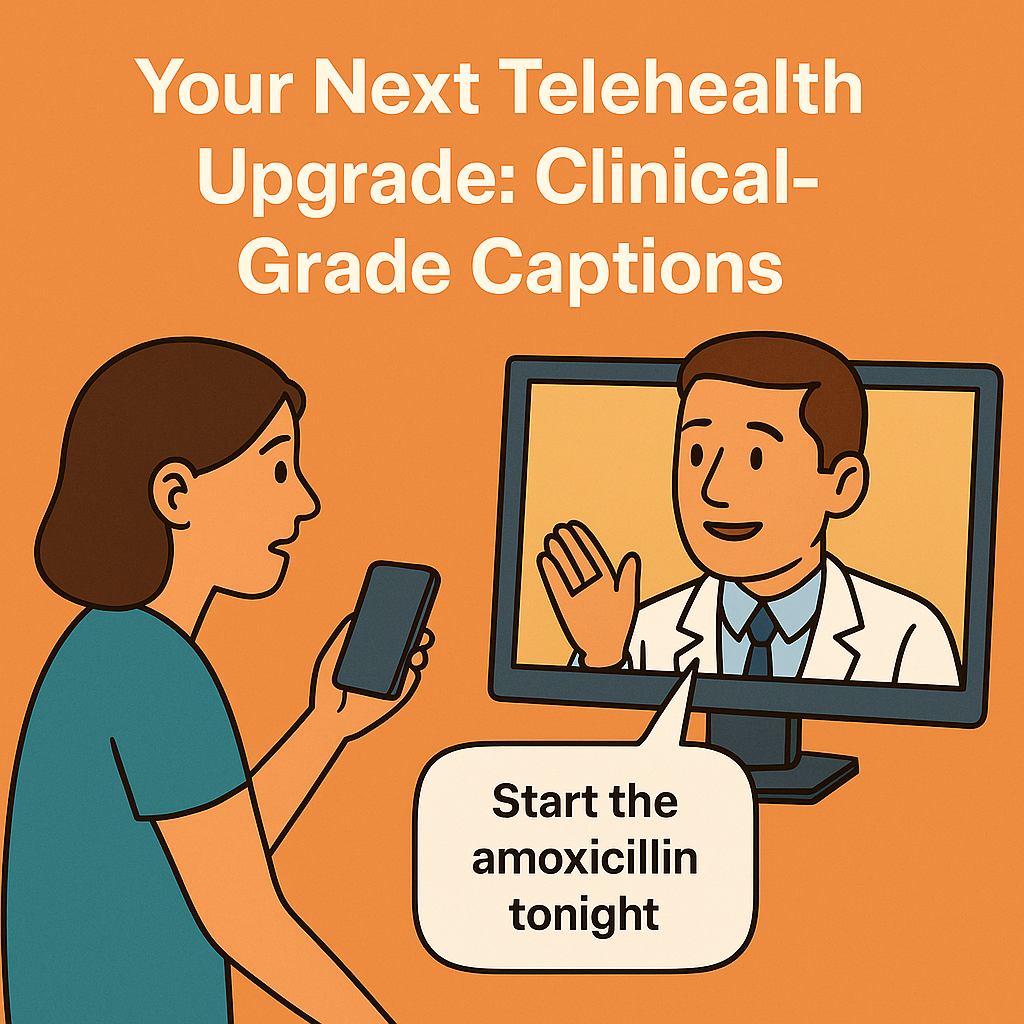
A few minutes into a virtual cardiology follow-up, Mr. R leans forward and says, “Sorry, doctor—could you repeat that?” He’s 72, has mild hearing loss, and English isn’t his first language. The clinician is empathetic but running behind. The solution isn’t louder speakers; it’s clear, accurate captions that keep everyone in sync. In a world where telehealth is no longer optional, captions and transcripts aren’t a nice-to-have—they’re part of safe, equitable care. Here’s how to make them work for your clinic, class, or research team. Why captions belong in telehealth Accessibility is clinical quality: Patients with hearing loss, auditory processing challenges, or noisy home environments benefit immediately. So do medical students in busy wards watching teaching rounds on the go.Clinical clarity, not confusion: Medical language is dense. Domain-accurate captions reduce misheard doses, misunderstood instructions, and “Can you repeat that?” loops that waste time.Documentation that travels: Transcripts create shareable, searchable records for teaching, QI, second opinions, and multilingual family support—when handled with proper privacy safeguards. Captions in Care: Practical Tips for Accuracy and Access A quick story from clinic: A heart failure group visit piloted captions for 12 patients. The team noticed fewer repeated questions, faster medication teaching, and a surprising bonus—caregivers followed along more confidently from work. Captions turned a one-way video into a shared plan. How to set it up (without derailing your day)1) Decide what you need– Live captions during visits: For real-time comprehension and equitable access.– Post-visit transcripts: For teaching, documentation addenda, patient instructions, or research.– Multilingual subtitles: For education modules, recorded webinars, and cross-border collaborations. 2) Prepare your clinical glossary– Create a specialty wordlist (drug names, procedures, eponyms). A cardiology list might include sacubitril/valsartan, NYHA, CRT-D, LVOT, troponin, TIMI.– Add site-specific terms (clinic nicknames, device models, local protocols). This boosts accuracy where it counts. 3) Optimize your audio in two minutes– Use a headset mic. Mics closer to the mouth beat any noise-canceling app.– Face the camera. Captions improve further when the model hears you clearly and consistently.– Choose a quiet room. HVAC, swivel chairs, and hallway chatter add invisible error rates. 4) Plan for roles and speakers– Label speakers (Clinician, Patient, Interpreter, Nurse). In multi-party calls, speaker labels keep responsibility and orders clear.– Have a visual cue protocol. For example, “I’ll say ‘Action item’ when assigning tasks—we’ll flag those in the transcript.” 5) Wire it into your workflow– Consent: Explain that captions assist understanding; choose whether the transcript is stored, shared with the patient, or used for education.– Privacy: Ensure your captioning tool signs a BAA and supports PHI-safe handling. Record only when necessary; default to ephemeral processing.– EHR: Export the final transcript summary or addendum into the chart with proper labeling (e.g., Patient Education Summary, not the legal note body unless policy allows). Practical tips that matter on busy days Reading speed: Keep captions around 140–180 words per minute. Too fast, and patients tune out; too slow, and precision suffers.On-screen placement: Avoid covering vitals or image shares. Upper or lower thirds with high-contrast fonts work best.Clarify uncommon terms: “We’ll start sacubitril/valsartan—brand name Entresto. It helps reduce strain on your heart.” Small additions improve comprehension and caption accuracy.Repeat numbers deliberately: “Take 2.5 milligrams—two point five—once nightly.” Captions catch both, and the transcript reflects clarity.Flag uncertain audio: If someone mumbles a dose, restate it. You reduce risk and avoid edits later. For educators and researchers Flip the classroom: Add timestamps and key-point markers to grand rounds and case conferences. Learners can jump to “physical exam findings” or “management discussion.”Build multilingual libraries: Create subtitles for recorded lectures in the languages your trainees speak. Accuracy matters when translating pathology terms—use a medical-domain tool.De-identify at the source: If using transcripts for research, configure automatic redaction of names, dates of birth, MRNs, phone numbers, and addresses. Where MedXcribe fits Medical-grade accuracy: Fine-tuned on medical audio, MedXcribe hears “INR,” “CABG,” and “myasthenia gravis” without blinking.Custom vocabulary: Upload your clinic’s glossary; get better captions from the first minute.Live and post-visit modes: Stream captions in real time, then export clean transcripts with speaker labels, timestamps, and action-item highlights.Privacy-first: PHI-safe processing with role-based access and configurable retention. Use it in clinic, the classroom, or the sim lab. Closing the loop:Better words, better careCaptions aren’t a tech garnish. They’re part of empathy at scale—meeting every patient, learner, and colleague where they are. When words land clearly, adherence improves, teaching sticks, and busy clinics move faster without leaving anyone behind. Try this in your next week of clinics:Pilot captions for high-risk visits (older adults, language barriers, complex regimens). Measure repeat questions and time spent clarifying instructions—you’ll see the difference. Ready to make your telehealth genuinely accessible? Start a MedXcribe pilot, upload your specialty glossary, and run your next virtual clinic with clinical-grade captions. Your patients—and your schedule—will thank you.
Beyond Captions: Turn Your Medical Videos into a Searchable Knowledge Engine
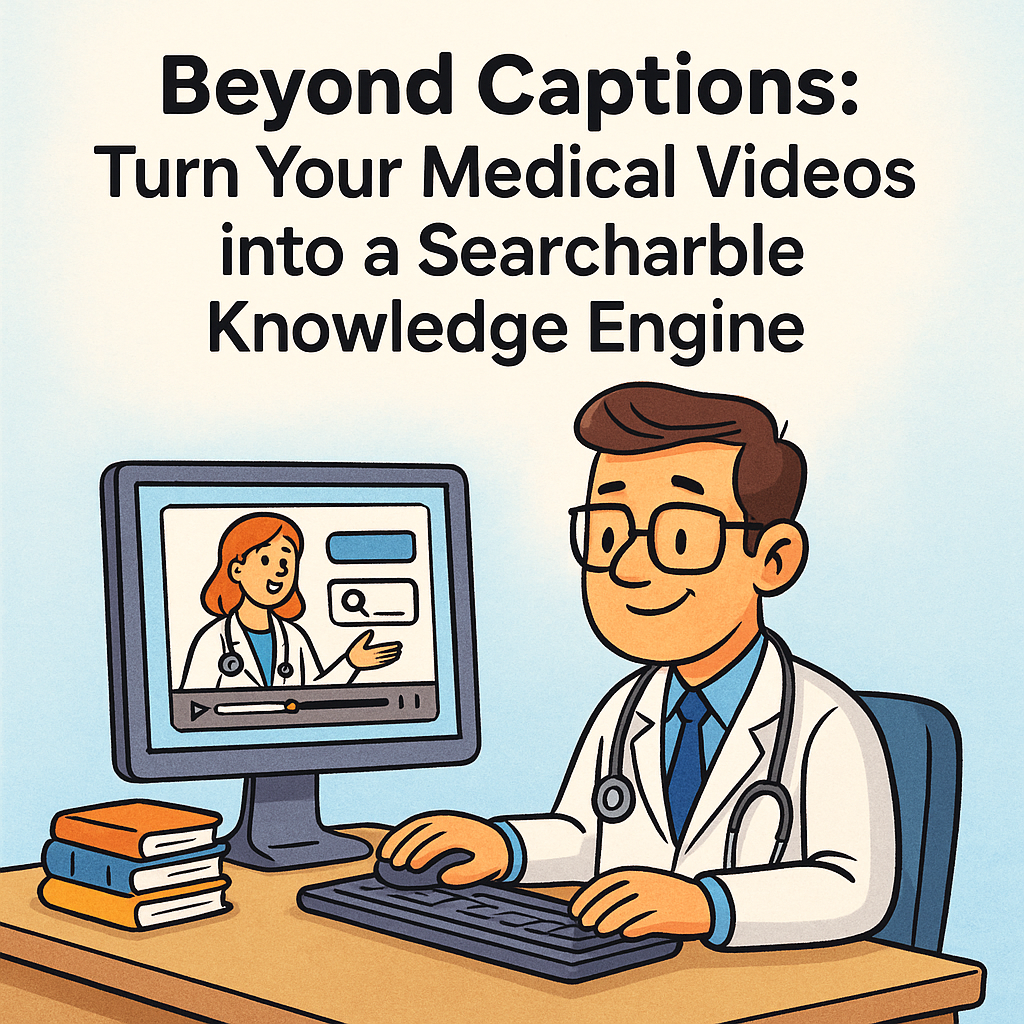
If you’ve ever scrubbed through a 60‑minute grand rounds video to find one 20‑second pearl, you know the pain. A surgical resident told us she hunted for an elusive note on preventing bile duct injury—until she opened the transcript, searched “Calot’s triangle,” and landed on the exact timestamp. That’s the quiet superpower of accurate, time‑coded transcription: it doesn’t just make videos accessible; it transforms them into a living, searchable library. MedXcribe is built for moments like this. Because it’s fine‑tuned on medical data, it recognizes terminology, abbreviations, and drug names most tools miss. In this post, we’ll show how turning your videos into transcripts and captions can dramatically improve learning, clinical workflows, and research—even before you press play. Why Searchable Transcripts Matter Faster learning, fewer rewatches: CME modules, board review lectures, and case conferences become skimmable when you can search within them. Time‑coded transcripts let you jump to exactly where “acute limb ischemia” or “CHA2DS2‑VASc” appears.Knowledge continuity across teams: Rotations change, staff turn over, but a searchable video library means institutional knowledge sticks. New hires can catch up fast by scanning transcripts and jumping to key sections.Better for multilingual and diverse teams: Captions and transcripts support clinicians and students whose first language isn’t English. With precise medical terms, comprehension improves without dumbing down content.Research ready: Researchers can mine transcripts for topic frequency, build datasets of quotes, and find relevant clips for systematic reviews. The transcript becomes an index for the entire video archive. How Time‑Coded Transcripts Unlock Value 1) Instant navigation and micro‑learning– Time stamps enable “chaptering” without heavy editing. Learners can jump from “pathophysiology” to “differential” to “management.”– Highlight and save moments. Many teams annotate transcripts with tags like “guideline update,” “dosage,” or “pitfall” for quick retrieval. 2) Consistent clinical terminology– In medicine, misspelling one term can derail a search. Fine‑tuned models like MedXcribe preserve specialized vocabulary (e.g., empagliflozin vs. enoxaparin), reducing false positives and manual fixes.– Accurate terms feed better metadata—titles, descriptions, and keywords—improving discoverability in your LMS, SharePoint, or knowledge base. 3) Accessibility that actually gets used– Captions help viewers who are deaf or hard of hearing, but they also serve those watching in noisy wards or on silent commutes.– Alt‑language subtitles and simplified transcripts can support patient education and resident onboarding. 4) Structured outputs for every workflow– Export caption files (SRT/VTT) for platforms like YouTube, Vimeo, or your LMS.– Export full transcripts (TXT/Docx) for printing, note‑taking, and quick review.– Export machine‑readable formats (JSON) to tie transcripts into search engines, dashboards, or analytics. Practical Blueprint: Build a Searchable Medical Video Library 1) Standardize inputs– File naming: Include department, topic, speaker, date, and version (e.g., Cardiology_AFib_Roundtable_DrLee_2025‑01‑18_v1.mp4).– Audio quality: Use lapel mics and minimize background noise. Crisp audio = higher accuracy.– Speaker cues: If possible, introduce speakers by name to help with speaker labels. 2) Transcribe with medical accuracy– Use a medical‑tuned engine like MedXcribe for terminology fidelity. Configure specialty glossaries (e.g., neurology, oncology) to reduce ambiguous terms.– Auto‑segment into readable lines: 1–2 sentences per caption, 32–40 characters per line for easier reading.– Review critical terms: Spot‑check drug names, dosages, and acronyms. Create a shared “approved term” list for consistency across videos. 3) Enrich metadata– Add a short summary up top (3–4 sentences) capturing the big picture.– Tag key concepts (e.g., “ACS,” “STEMI,” “dual antiplatelet therapy”).– Mark learning objectives and key timestamps (e.g., “00:12:30: When to escalate vasopressors”). 4) Publish with purpose– Upload captions with the video for accessibility.– Host transcripts beside the video—ideally with a transcript search box.– Provide quick‑link timestamps for key chapters in the description. 5) Govern, protect, and update– Follow your organization’s privacy and security policies for recordings. Limit access to clinical videos that include PHI.– Version control: If guidelines change, update the transcript summary with a date‑stamped note.– Analytics: Track which transcript terms are searched most—use that insight to plan future content. Small Team? Start Here in One Afternoon – Pick one high‑value video (e.g., your most‑watched lecture or a recurring teaching session).– Run it through MedXcribe, generate captions and a full transcript.– Add a 150‑word summary and 5–8 tags.– Publish in your LMS or internal portal with a transcript panel and a simple “Jump to” list of timestamps.– Gather feedback: Was it easier to find? Which terms did people search? Apply what you learn to the next video. A Quick Story from the Ward During a busy winter rotation, a hospitalist team needed to confirm dosing nuances for heparin in obese patients. Instead of paging pharmacy, the chief resident searched the transcript of a recent anticoagulation update: “heparin dosing obesity.” In seconds, they landed on a precise clip with dosing tables and caveats. Patient care moved forward faster—and the teaching moment stuck. The Takeaway Captions are more than compliance. When they’re accurate, time‑coded, and paired with sensible metadata, your medical videos become a searchable, institutional memory—useful to clinicians on rounds, students cramming for boards, researchers hunting for signals, and patients learning about their conditions. If you’re ready to turn your video library into a knowledge engine, try transcribing your next lecture, case review, or patient education video with MedXcribe. You’ll spend less time scrubbing and more time learning, teaching, and treating.
The Medical Caption Style Guide You Didn’t Know You Needed
f you’ve ever paused a surgical video to double‑check a dose or rewinded an online lecture to catch a lab value, you already know: captions in medicine can’t be casual. A single zero or abbreviation can change meaning. Whether you’re a clinician teaching, a student revising for rounds, or a transcriptionist polishing a dictation, consistent, clinically correct captions are a patient‑safety tool. Below is a practical style guide you can adopt today—built for medical content and easy to apply in your current workflow. Why a style guide matters in medicine Precision equals safety: “Heparin 5,000 units” is not “50,000.” Accurate on‑screen text reduces the chance of misinterpretation during training and patient education.Accessibility supports equity: Clear, consistent captions help D/deaf and hard‑of‑hearing viewers, ESL learners, and anyone watching in noise‑sensitive environments. This aligns with accessibility expectations in healthcare settings.Searchable learning: Standardized terms and units make transcripts easier to search, helping researchers and residents find what matters, fast. Twelve rules for clinically correct captions 1) Use leading zeros and ban trailing zeros for doses and labs– Write 0.5 mg, not .5 mg; write 5 mg, not 5.0 mg. This is a classic safety standard to avoid ten‑fold errors. 2) Keep numbers with their units and prefer SI when appropriate– 4 mg, 10 mL, 38.2°C. Keep a non‑breaking space between number and unit if your platform supports it. Be consistent: choose µg or mcg and use it everywhere. 3) Capitalize brand names; generic names lower‑case– acetaminophen vs. Tylenol. If both appear, list generic first: acetaminophen (Tylenol). 4) Expand ambiguous abbreviations on first mention– Write “myocardial infarction (MI)” on first use; use MI thereafter. Avoid non‑standard abbreviations like “qd” and “qod”—prefer “daily” or “every other day.” 5) Spell out high‑risk look‑alike/sound‑alike drugs in full– Write “hydralazine” and “hydroxyzine” in full and consider adding brief clarifiers when context is tight: “hydralazine, the antihypertensive.” 6) Standardize lab notation and reference context– Format as “K 3.4 mmol/L,” “HbA1c 7.2%.” When clinically relevant, add brief context: “Normal range varies by lab.” Avoid “3.4 K” which is ambiguous. 7) Use clear speaker labels and roles– Dr. Rao:, Nurse:, Patient:. If multiple speakers share a role, add numerals (Resident 1:, Resident 2:). Switch labels promptly to avoid misattribution. 8) Capture meaningful non‑speech audio– [alarm beeping], [ventilator cycling], [heart monitor flatline]. Non‑speech sounds that carry clinical meaning should be captioned, especially in training videos. 9) Time‑code critical events precisely– Sync captions so actions and instructions match what’s on screen: “Administer epinephrine now” should land exactly when the action occurs. 10) Redact patient identifiers consistently– Replace names, dates of birth, MRNs, addresses, and full faces (if not consented) with neutral tags: [patient name redacted]. Never include full identifiers in downloadable transcripts unless expressly authorized. 11) Use plain, teach‑back‑friendly language in patient‑facing videos– Prefer “high blood pressure” to “hypertension” unless you define terms. When jargon is necessary, add quick clarifiers: “edema (swelling).” Clinician‑facing content can retain technical terms but should still follow the same formatting rules. 12) Handle uncertainty transparently and sparingly– If audio is truly unclear, use [inaudible] with a timestamp: [inaudible 02:13]. Avoid guessing. For best practice, mark items for review inside your tool and resolve before publishing. From transcript to caption: a simple workflow Set your template: In your transcription tool, create a project preset that enforces your choices—units (SI), drug name casing, abbreviation rules, and redaction tags. MedXcribe teams often store these as “Department Style” presets.Transcribe first, then standardize: Generate the transcript with MedXcribe’s medical model. Run a quick pass for number‑unit pairs, drug names, and abbreviations. Search/replace helps: mcg → µg, “.5” → “0.5” (with care).Add smart speaker labels: Tag roles consistently. If multiple clinicians speak, confirm labels against introductions or on‑screen badges.Caption sync and event timing: Convert the polished transcript to captions and adjust timecodes so critical instructions align precisely with the video. Keep caption chunks short (1–2 lines, 32–42 characters per line) to minimize cognitive load.Final safety check: Read captions out loud while watching at 1.0× speed. Verify doses, decimal placement, and alarms. Resolve any [inaudible] tags before publishing. A quick example in practice Before: “Give .5 mg epi now!”After: “Administer 0.5 mg epinephrine now.”Before: “Start heparin 50000 units; patient on O2.”After: “Start heparin 5,000 units. Patient on oxygen.”Before: “K is 3.4.”After: “K 3.4 mmol/L.” The takeawayGreat medical captions aren’t just readable they’re clinically reliable. A lightweight style guide prevents small mistakes from becoming big ones and turns your videos and lectures into safer, more searchable learning assets. If you’re ready to streamline this, try setting up a MedXcribe style preset for your team. Our medical‑tuned engine recognizes complex terminology, and presets help you lock in consistent rules for units, drugs, and abbreviations. Create your style once, apply it everywhere, and publish with confidence.
From OR to On‑Demand: How to Build a Searchable Medical Video Library with Captions and Transcripts
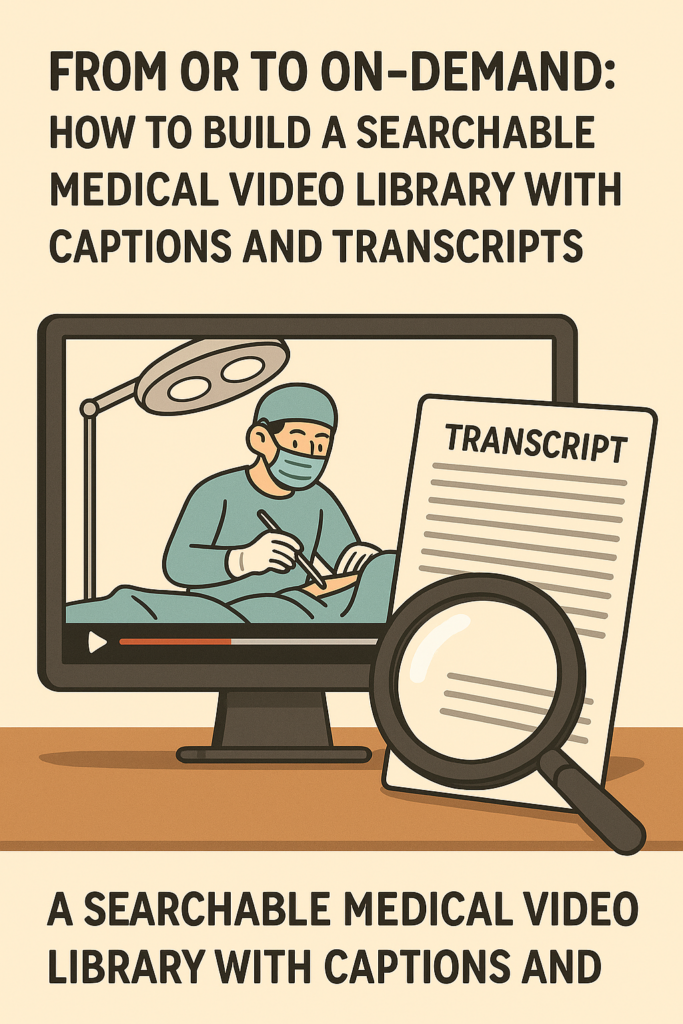
Ever paused a grand rounds video five times to catch a single drug dose? Or scrubbed through an hour of OR footage to find a 20‑second teaching pearl? Most medical videos are valuable—but hard to search. The fastest way to unlock them is simple: accurate captions and time‑stamped transcripts. At MedXcribe, we see what happens when medical teams turn scattered recordings into a searchable library. Lectures become findable. Case reviews are reusable. Residents stop wasting time and start learning faster. Why a searchable video library changes everything Faster prep, better learning: Residents can jump to the moment a murmur is described or a surgical step is demonstrated. Search the transcript for “SGLT2,” “Apgar,” or “Calot’s triangle,” and skip straight to what matters.Equity and accessibility: Captions support colleagues with hearing loss, non‑native English speakers, and learners studying in noisy environments. Everyone gets the same access to detail.Quality and compliance: Transcripts provide an audit trail of what was presented. For QI meetings, M&M, or research methods seminars, searchable text helps teams verify statements and cite accurately.Institutional memory: When people rotate or graduate, their knowledge doesn’t leave. Your library becomes a durable teaching asset. A practical workflow you can start this week 1) Capture clean audio– Use a lapel mic or a room mic near the speaker. Reduce background noise (HVAC, clattering instruments when possible).– For Zoom/Teams, record separate audio tracks if available—this improves speaker labeling. 2) Upload to MedXcribe– Drag and drop video or audio. MedXcribe is fine‑tuned on medical data, so it recognizes jargon and drug names more accurately than generic tools.– If you have a specialty focus (cardiology, oncology, ortho), note it in your project or add a brief description to help downstream reviewers. 3) Add terminology and context– Provide acronyms, brand/generic pairs, or local procedure names (e.g., “POCUS,” “Kcentra,” “Whipple”).– If presenters are known, add their names for cleaner speaker labels. 4) Review efficiently– Skim the transcript while listening at 1.25x speed. Correct jargon, dosages, and eponyms first; general language second.– Use find/replace for repeated misspellings. Flag uncertain terms with a simple [?] marker, then resolve with the presenter if needed. 5) Generate captions and formats that travel– Export SRT or VTT for video platforms, and a clean text or DOCX transcript for your LMS or intranet.– Keep line length readable (32–42 characters per line) and set captions to a comfortable reading speed (~160–180 words/minute). MedXcribe’s time‑stamps keep segments aligned. 6) Create chapters and tags– Turn key moments into chapters: “Induction,” “Hemostasis,” “Complications,” “Post‑op care.”– Add tags like diagnosis, procedure, device, and guidelines (e.g., “NSTEMI,” “radial approach,” “TTE,” “2023 ACC/AHA”). These keywords make search powerful. 7) Publish and make it searchable– Pair the video with the full transcript on your LMS or SharePoint. Most users will Cmd/Ctrl+F the transcript to jump to exact timestamps.– For YouTube or Vimeo, upload the SRT and include a link to the transcript. Encourage time‑stamped comments for cohort discussion. A quick story from the wards Maya, a PGY‑2 in cardiology, had 30 minutes to prep for morning report. She searched her program’s video library transcript for “dynamic LVOT obstruction.” One click took her to minute 18:43 of a prior echo teaching session, where the attending explained the Brockenbrough phenomenon. She bookmarked the clip, exported the captioned snippet, and walked into conference ready—with evidence, not guesswork. Total time: 9 minutes. Quality and compliance checklists Accuracy target: Aim for 99% accuracy in clinical terms and dosages. Prioritize numbers, medication names, and anatomic terms during review.De‑identify for teaching: Remove PHI before publishing. Blur faces in OR footage when necessary and replace names with roles (e.g., “Attending,” “Circulator”).Inclusive captions: Indicate non‑speech audio when meaningful (e.g., [alarm], [ultrasound doppler sound]) to aid context for D/deaf viewers.Avoid auto‑caption roulette: Generic auto‑CC often mishears brand/generic names and complex terms. Always review before posting.Multilingual support: If your audience is international, translate the approved transcript to additional languages. Keep a master English transcript for consistency and regulatory reference. What this means for your team Faculty: Reuse lectures with confidence. Update slides, keep the transcript, and version your content transparently.Residents and students: Study smarter. Search transcripts, build flashcards from key lines, and save annotated time‑stamps for exam review.Researchers: Code qualitative data, quote precisely, and cite timestamps in methods or appendices.Administrators: Centralize knowledge. Standardize documentation across departments and increase the reach of CME content. Your next step Pick one high‑value series—grand rounds, skills lab, or case conferences—and run it through this workflow. In a single week, you can transform a handful of recordings into a searchable, accessible library that people actually use. MedXcribe makes it straightforward: upload, review, export captions/transcripts, publish. When medical language matters—and it always does—use a tool tuned for medicine. Ready to turn your videos into a teaching engine? Start your first transcription in MedXcribe and build your searchable library today.
Beyond Word Error Rate: The Clinically Critical Errors You Must Catch in Medical Transcripts and Captions
A cardiology fellow once told me about a near miss during night float. She was revisiting a cath conference video with captions and read, “Heparin fifteen thousand units.” The speaker had actually said “five thousand.” One small digit, one big difference. A solid reminder: in medicine, not all transcription errors carry the same risk. Word Error Rate (WER) is a popular yardstick for accuracy, but it treats every error equally. Clinical practice does not. A misspelling of an eponym is annoying; a wrong decimal point is dangerous. If your work involves medical transcripts or closed captions—whether for clinic notes, tumor boards, CME videos, or surgical training—shifting from generic accuracy to clinically aware accuracy can meaningfully improve safety and learning. Why Some Errors Matter More Than Others In clinical and educational content, a handful of error types deserve priority attention. Here are the big ones to flag: Medication names and lookalikes: “hydralazine” vs “hydroxyzine,” “cefazolin” vs “cefepime.” These swaps are easy to make when audio is fast or muffled and can lead to incorrect therapy.Dose, decimal, and unit errors: 1 mg vs 10 mg, mcg vs mg, mL vs L. Decimal drift (0.5 vs 5) is a classic high-risk error.– Route and frequency: PO vs IV; QD vs QID. Abbreviations can be treacherous; unclear routes change kinetics and safety.Negation and polarity: “no PE” vs “known PE,” “positive” vs “negative.” A single syllable flips clinical meaning.Laterality and anatomy: left vs right, proximal vs distal. This matters especially in operative notes and radiology discussions.Numbers that drive decisions: vitals (BP 90/60 vs 190/60), scores (CHA2DS2-VASc, NIHSS), lab values with units (K 6.0 mmol/L), time stamps (onset at 14:30 vs 4:30).Patient identifiers and demographics: age, allergies, pregnancy status—errors can cause misfiling or unsafe choices.Abbreviations and expansions: Expand when safety depends on it (e.g., write out “low molecular weight heparin”), and avoid banned abbreviations if your institution uses a list. Focusing your review on these categories catches the errors that most threaten patient safety and educational integrity—even when overall WER is low. A Clinically Aware QA Workflow (That Won’t Slow You Down) You don’t need a massive review team to improve safety. Build a lightweight process that concentrates effort where it counts. 1) Start with a risk lens– Triage content: Flag operative reports, medication-heavy discussions, and protocol lectures for extra scrutiny. Casual updates and introductions can be spot-checked.– Identify number-dense segments: Doses, vitals, lab trends, and time-sensitive narratives (e.g., stroke timelines) deserve a second listen. 2) Use a precision checklist– Drugs: Confirm brand/generic names, formulation, strength, route, and frequency. Resolve any ambiguity against the audio or source slides.– Numbers: Double-check all digits and units. Read them aloud to yourself as you review; the ear often catches what the eye misses.– Negation and polarity: Highlight phrases with “no/known,” “positive/negative,” “increase/decrease.” Confirm with context.– Laterality/anatomy: Verify every left/right and location descriptor. If uncertain, consider adding a clarifying note or time-stamp for recheck. 3) Standardize what you can– Abbreviation policy: Adopt (or align with) your institution’s safe abbreviation list. Expand ambiguous abbreviations in patient-facing materials.– Consistent units: Stick to SI units where appropriate and include units every time a number appears.– Speaker labels: Identify speakers in conferences and panels; attribution often clarifies context and reduces misinterpretation. 4) Respect uncertainty– Never guess. If a segment is unclear, mark it [inaudible] or [uncertain] with a timestamp. In clinical documents, route the question back to the author; in videos, consider on-screen clarification. 5) Close the loop– Keep a tiny error log of critical catches (e.g., “decimal error in insulin dose”). Patterns will tell you where your process or source audio needs improvement. Captions in Medical Videos: Accuracy With Educational Impact Medical videos—grand rounds, simulations, OR footage, device demos—carry additional challenges. Captions here are more than accessibility; they’re part of the curriculum. Synchronization matters: Numbers and medication names should remain on screen long enough to be read before the video moves on. Poor timing can be as harmful as a typo.Match the slide deck: If the presenter reads a dose while a slide displays it, captions should mirror the slide’s exact value and units. When there’s a mismatch between speech and slide, consider an editorial note or follow-up correction.Label specialty terms: When a rare eponym or device name is spoken, accurate spelling in captions helps learners look it up later. If uncertain, cross-reference the presenter’s materials.Don’t bury safety cues: Verbal alerts like “pause,” “time-out,” “stop” during procedures should be clearly captioned and not truncated by timing.Consider learner diversity: For international audiences, avoid region-specific brand names when a generic exists, or include both (e.g., “acetaminophen (paracetamol)”). Why This Approach Works With AI-Powered Transcription AI models fine-tuned on medical data, like MedXcribe, dramatically improve baseline accuracy—particularly for terminology, fast speech, and overlapping speakers. That’s a powerful starting point. Layering a clinically aware QA pass on top focuses your limited human attention where it matters most, reducing risk without creating bottlenecks. The Takeaway Accuracy in medicine isn’t just about getting every word right; it’s about getting the right words right. Prioritize high-risk categories—medications, numbers, negation, laterality—and standardize your review around them. Your transcripts and captions will be safer, clearer, and more useful for both clinicians and learners. If you’re ready to elevate your transcription and captioning with medical-grade accuracy, try MedXcribe. Our medically tuned engine gives you a reliable foundation, and the workflow above will help you turn accurate words into safer care and better education.
The Medical Caption Style Guide: 12 Rules for Clear, Accurate Subtitles
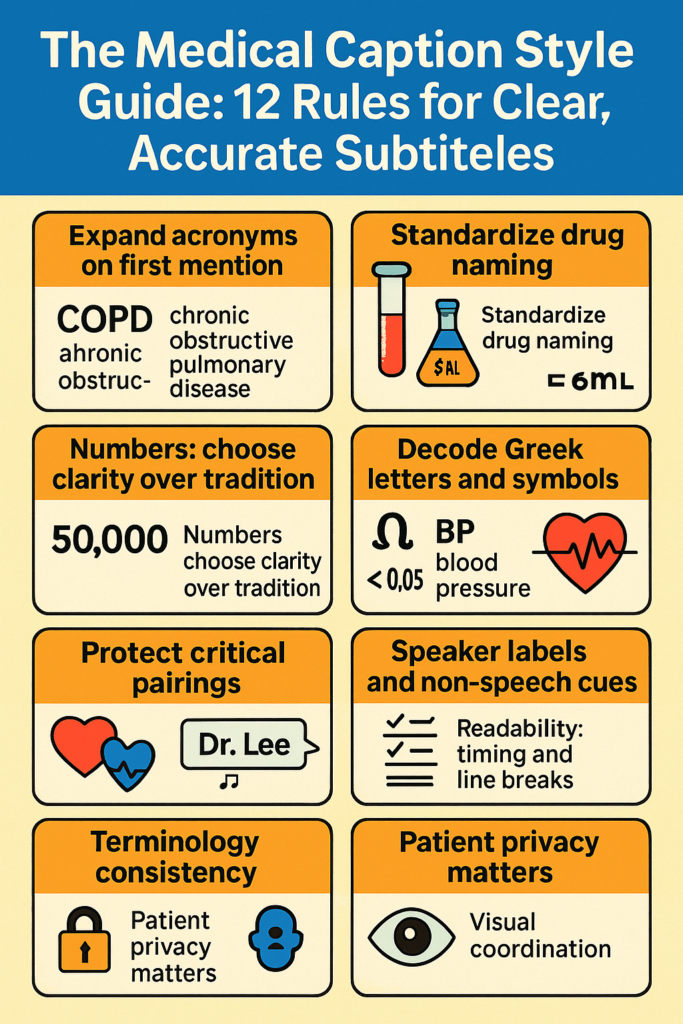
Three minutes into a cardiology teaching video, a fellow pauses. Was that “mg” or “mcg”? The captions read 50 mg, but the speaker meant 50 micrograms. One tiny symbol, huge clinical difference. Medical captions aren’t just about accessibility—they’re about precision. Whether you publish grand rounds, surgical walk-throughs, or patient education, a simple style guide can be the difference between clarity and confusion. Why Medical Captions Need Their Own Rules Medical videos carry dense terminology, rapid-fire acronyms, and life-critical numerics. Unlike entertainment content, ambiguity isn’t an option. A consistent caption style:– Reduces misinterpretation of drug doses and units– Improves learning outcomes for trainees– Speeds up searchability and review (think: CTRL+F for “NSTEMI” or “laparoscopic cholecystectomy”)– Supports diverse audiences: clinicians, students, researchers, and patients with hearing loss or non-native English backgrounds Below is a compact, practical style guide you can adopt today. 12 Rules for Clear, Accurate Medical Subtitles 1) Expand acronyms on first mention– First mention: non-ST-elevation myocardial infarction (NSTEMI)– Subsequent mentions: NSTEMI– Do this for departments and devices too: transesophageal echocardiography (TEE) 2) Standardize drug naming– Prefer generic names; include brand only if clinically relevant: acetaminophen (Tylenol)– Keep generic lowercased; brand capitalized– Include dosage form if needed: metoprolol tartrate 25 mg tablet 3) Handle units and symbols safely– Use SI symbols consistently: mg, mL, mmol/L– Avoid ambiguous micro symbol; use “microgram (mcg)” on first mention. If your platform supports the µ character reliably, note it in your guide and keep usage consistent.– No trailing zeros (5 mg, not 5.0 mg); include leading zeros (0.5 mg, not .5 mg) 4) Numbers: choose clarity over tradition– Use numerals for all clinical values, counts, and vitals: 3 doses, 7 mm, 120/80– Spell out only when it’s conversational and not clinical: “two options for rehab” is fine 5) Decode Greek letters and symbols– Write them out on first mention: beta-blocker (β-blocker) if your platform reliably renders Greek; otherwise stick to “beta-blocker”– For statistics: p < 0.05 is acceptable; ensure consistent spacing and symbol use 6) Translate shorthand at first sight– First mention: 5 mg IV every 8 hours (q8h)– Later mentions: q8h is acceptable– Convert time ranges: 3–5 days; keep en-dashes or use “to” if your platform can’t display them well 7) Protect critical pairings– Never break numbers from their units across lines: keep “5 mg” together– Keep drug + dose together when possible: “furosemide 20 mg” 8) Speaker labels and non-speech cues– Use role-based labels for clarity: Attending, Resident, Nurse, Patient– Include essential audio cues in brackets when clinically relevant: [alarm beeping], [defibrillator charge], [ultrasound Doppler tone]– Avoid over-labeling; focus on cues that affect understanding 9) Readability timing and line breaks– Aim for 1–2 lines per caption, up to ~42 characters per line– Keep pace around 140–180 words per minute; dense slides may need slower pacing– Break lines at natural phrase boundaries; never split medical terms or abbreviations 10) Terminology consistency– Choose US or UK spelling and stick to it: hemorrhage vs haemorrhage– Standardize eponyms and capitalization: Parkinson disease (no apostrophe in modern usage), Gram stain (capital G), culture-negative endocarditis 11) Patient privacy matters– Remove personally identifiable information in teaching videos: [name redacted]– Blur or omit on-screen PHI; reflect redactions in captions if referenced by speakers– Document consent status in your production workflow, even if not shown in captions 12) Visual coordination– Time captions to match procedural steps and on-screen labels– Avoid covering critical overlays; if your platform allows, reposition captions– For multi-language projects, set a rule to retain original units and numbers across translations Build Your Caption Workflow (Without Burning Time) Start a specialty glossary: Cardiology, Oncology, Surgery—keep separate term lists to avoid cross-specialty confusion (e.g., “stent” vs “stent graft”).Use custom dictionaries: Load drug lists, instruments, and procedure names so your tool recognizes them every time.Create a quick-reference sheet: 1 page with your 12 rules, preferred spellings, and examples. Share it with faculty, editors, and vendors.Add a second set of eyes: A brief SME review of doses, units, and device names catches high-risk errors.Version and measure: Note the style guide version in your credits. Track edits—if “µg” causes rendering issues, update once and apply everywhere.Accessibility check: Include meaningful non-speech cues and ensure reading speed suits complex diagrams and bilingual viewers. Where MedXcribe Fits In MedXcribe is fine-tuned on medical data, so terms like “tenecteplase,” “Whipple,” or “end-diastolic pressure” land correctly the first time. You can:– Upload a custom glossary for your service line– Preserve timestamps aligned to procedural steps– Export to SRT/VTT with consistent styling– Run quick passes to expand abbreviations and normalize units Conclusion: Make Precision a HabitThe best captions don’t just repeat words—they carry clinical meaning safely. Adopt these 12 rules, build a lightweight glossary, and add a quick SME review. Your learners will grasp more, your videos will search better, and your risk of misinterpretation will drop. Ready to standardize your captions? Try MedXcribe on your next lecture or surgical demo, and import your glossary to see clinically accurate subtitles in action.
Clinic‑Grade Captions: A Practical Playbook for Accessible Telehealth and MedEd
If you’ve ever watched a surgical walkthrough on mute during rounds, tried to follow a webinar in a noisy residents’ lounge, or counseled a patient who reads English as a second language, you know this truth: clear captions and transcripts aren’t a nice‑to‑have—they’re clinical infrastructure. In healthcare, missed words can become missed steps. A single digit in a dosage, an indistinct acronym, or a misunderstood drug name can fracture understanding. The fix is not only empathy; it’s precision. This post offers a practical blueprint for building clinic‑grade captions and transcripts that make telehealth visits, patient education, and medical education genuinely accessible. Why accessibility is clinical quality Accessibility widens the circle of understanding—for Deaf and hard‑of‑hearing viewers, for clinicians working in noise‑sensitive settings, and for learners navigating accents or dense terminology. But it’s also about safety and equity:Reduces preventable errors: Captions clarify numerics (e.g., 0.5 vs 5), units, and similar‑sounding drug names.Supports multilingual and cross‑cultural care: Learners and patients can re‑read complex sections and look up unfamiliar terms.Improves retention: Dual coding—hearing and reading—enhances recall in training and patient education.Enables care anywhere: Silent viewing on wards or public spaces keeps sensitive content private and usable. The question is not whether to caption—it’s whether your captions are clinic‑grade. What “clinic‑grade” captions look like Think of captions and transcripts as clinical documents. They need accuracy, context, and readability. Here’s a checklist to raise your bar: 1) Medical accuracy and context– Terminology first: Drug names, anatomical terms, and procedures must be spelled correctly (e.g., cefTRIAXone vs. cefTAZidime).– Numerics and units: Always include the unit and spacing (e.g., 5 mg, not 5mg; 0.5 mL, not .5 mL). Avoid ambiguous trailing zeros (use 0.5, not .5; avoid 5.0, use 5).– Acronyms with expansion: On first use, expand clinically dense acronyms (e.g., “NSTEMI (non‑ST elevation myocardial infarction)”).– Speaker tags: Identify who is speaking—Attending, Resident, Patient—especially in telehealth or panel discussions where instructions might be followed. 2) Timing and readability– Sync within 100–200 ms of speech: The eye and ear should feel aligned; lag increases cognitive load.– Line length and pacing: Aim for 32–42 characters per line and a readable cadence. Avoid overcrowding lines with multiple clauses.– Punctuation as guidance: Use commas and periods deliberately to reflect clinical meaning, not just grammar.– Non‑speech cues when relevant: Include [alarm beeping], [ultrasound whoosh], or if it changes comprehension. 3) Style and consistency– Consistent capitalization of drug names and devices.– Standardize measurement formats: mg, mL, kg, mmHg, bpm—never mix variants within a single piece.– Keep abbreviations safe: If a term appears on a “do not use” list in your institution, spell it out in captions.– Avoid slang unless clinically relevant; prefer precise descriptors. 4) Visual and privacy considerations– Placement: Don’t cover critical visuals (EKG tracings, ultrasound labels). Shift captions from bottom to top when needed.– Contrast: High‑contrast text against backgrounds; avoid color-only distinctions for viewers with color vision deficiencies.– PHI awareness: Captions can inadvertently include names, dates, or identifiers spoken aloud. De‑identify as required for educational content. 5) Inclusivity and multilingual options– Offer multilingual subtitles for patient‑facing materials when feasible.– For complex terms, consider brief, plain‑language paraphrases in patient education videos. A simple workflow you can start this week Great captions aren’t an accident; they’re a workflow. Here’s a lean, repeatable process your clinic, school, or research group can adopt. 1) Capture clean audio– Use a dedicated mic or headset; reduce room echo and background noise.– Ask speakers to slow for numerics and spell out sound‑alike drugs.– In telehealth, encourage patients to minimize background noise and speak close to their device mic. 2) Transcribe with a medical‑tuned engine– Use an AI model fine‑tuned on medical vocabulary to minimize mishears (e.g., hypertrophic vs. hyperplastic).– Enable diarization (speaker separation) to preserve who said what. 3) Apply a medical style guide– Create a 1‑page style sheet: units, numerics, drug capitalization, acronym expansions, and forbidden abbreviations.– Maintain a shared glossary that grows with each project or specialty (cardiology, OB/GYN, oncology, etc.). 4) Review with intent (10‑minute QC)– Target the riskiest spots: dosages, rates, procedures, and discharge instructions.– Scan for timing drift every few minutes; resync where captions feel late/early.– Spot‑check terms against the glossary; enforce unit and acronym rules. 5) Publish and maintain– Export in formats your platform supports (SRT, VTT, or burned‑in for certain LMS tools).– Keep a version log: If a video or guideline changes, update captions first.– Close the loop: Invite feedback from Deaf/HoH colleagues, ESL learners, and patients—and iterate. Real‑world use cases you can implement now Telehealth follow‑ups: Provide a de‑identified transcript summary that highlights meds, labs, and next steps so patients can review at home.Grand rounds on the go: Captioned sessions let residents watch silently and search transcripts for key moments.Patient education: Bilingual subtitles for pre‑op instructions lower anxiety and improve adherence.Research recruitment: Captioned study explainers increase reach and comprehension, reducing screen‑out rates. The hidden ROI: time, trust, and teaching Clinic‑grade captions pay off beyond compliance. They reduce repetitive clarifications, lower misunderstanding in handoffs, and make your content discoverable via transcript search. Most importantly, they signal respect—for colleagues trying to learn at 2 a.m., for patients tackling new diagnoses, and for anyone who needs both words and sound to truly understand. Make your next video clinic‑grade If you’re ready to upgrade your captions and transcripts, start with the workflow above—and let an AI engine built for medicine do the heavy lifting. MedXcribe is trained on medical language, recognizes speakers, and handles dense terminology with clinical precision. Upload your audio or video, generate captions, apply your style guide, and publish with confidence. Your words carry care. Make sure everyone can see—and trust—them.
The Medical Caption Style Guide: 15 Rules for Clarity, Safety, and Learning
During a pharmacology lecture, the presenter said “fifty micrograms.” The auto-captions read “0.5 mg.” The room didn’t notice—but a Deaf pharmacy student did. One mistyped unit, two orders of magnitude off, and a potentially dangerous misunderstanding. In medicine, captions and transcripts aren’t just convenience features. They’re clinical accuracy, equitable access, and better learning outcomes wrapped into text. If you make medical videos, teach, or publish clinical content, a consistent caption style isn’t optional—it’s your safety net. Why style matters in medical captions Precision saves time and prevents error: Clear notation reduces rewatching, misinterpretation, and correction loops.Accessibility drives equity: Learners who are Deaf or hard of hearing, non-native speakers, and clinicians in noisy environments depend on consistent, readable captions.Learning sticks when text is predictable: Structured captions improve cognitive load management and recall—especially when content is dense or fast-paced. Build your medical caption style guide (use this as your template) 1) Doses and units– Always use a leading zero for values <1 (0.5 mg), never a trailing zero (1 mg, not 1.0 mg).– Keep a space between number and unit (5 mg, 10 mL).– Write “mcg” instead of the Greek μg. When safety is paramount, consider spelling “micrograms.”– Never use “U” for units; spell “units.” 2) Numbers and ranges– Use numerals for all measurable values (age, lab values, doses, times).– Express ranges with an en dash or “to” (120–140 mmHg or 120 to 140 mmHg); avoid hyphen ambiguity. 3) Abbreviations and expansions– Expand on first mention, then abbreviate: “heart failure with reduced ejection fraction (HFrEF).”– Avoid unsafe or ambiguous abbreviations (qd → daily, BID → twice daily when the audience is patient-facing). 4) Drug names– Use generic first, brand in parentheses if relevant: “acetaminophen (Tylenol).”– Watch look-alike/sound-alike pairs: hydralazine vs hydroxyzine; consider adding a speaker label or on-screen clarification. 5) Labs and vitals– Include units: “potassium 5.6 mmol/L.”– For patient-facing content, consider “five point six millimoles per liter” to avoid symbols that screen readers misread. 6) Symbols and special characters– Spell out Greek letters (alpha, beta). Use “plus/minus” if ± isn’t supported.– For ions and equations, prefer the spoken form: “sodium” or “Na plus” consistently. 7) Genes and proteins– Preserve exact case and numerals (BRCA1, p53). If the audio is unclear, flag with [verify] during editing. 8) EKG/ECG leads and clinical notation– Use standard lead notation (I, II, III, aVR, V1–V6). Keep roman numerals uppercase. 9) Dates, times, and temperature– Use a consistent date format (YYYY-MM-DD for research or your local standard).– Time: choose 24-hour or 12-hour and stick to it.– Specify temperature units (37 °C). Include a space before °C/°F if that’s your house style. 10) Non-speech information– Include meaningful sound and visuals: [ultrasound beeping increases], [audience laughter] only where it aids comprehension. 11) Speaker labels and roles– Identify roles when multiple speakers are present: Dr. Kim:, Resident:, Patient:– Keep labels short and consistent. 12) Placement and line length– Default bottom center; move up if captions cover critical visuals (surgical field, radiology annotations).– Max 2 lines, 32–42 characters per line to reduce cognitive load. 13) Timing and reading speed– Keep captions on screen 1–7 seconds. Aim for 140–180 words per minute.– Avoid orphan words on a separate line; break at natural phrase boundaries. 14) Localization and spelling– Choose US or UK spelling and units (hemoglobin vs haemoglobin, mg/dL vs mmol/L) based on audience.– Maintain consistent decimal separators (period vs comma). 15) Privacy and de-identification– Remove protected health information unless you have consent: [name redacted], [date removed].– If a case is fictional or altered, note it briefly to avoid confusion. Putting it into practice (a simple workflow) Start with accuracy: Record in a quiet room, use a decent mic, and speak units and drug names clearly. Good audio is the cheapest accuracy upgrade.Generate a first pass: Use a medical-grade tool like MedXcribe to produce transcripts or closed captions fine-tuned for clinical language.Apply your style guide: Review captions with your 15 rules in hand. Standardize units, expand first-use abbreviations, fix safety-critical items (mcg vs mg), and position captions away from critical visuals.Build a living glossary: Keep a running list of course-specific terms, drug names, gene symbols, and common abbreviations. Share it with your team.Quality check in pairs: Have a second reviewer scan for safety issues, readability, and timing. If it’s a high-stakes video (medication dosing, procedures), perform a focused “dose and unit” pass.Version and document: Save your style guide in a shared folder. Include examples and a short do/don’t list so new contributors ramp up fast. Quick checklist before you publish – Units and doses follow safety rules (leading zero, no trailing zero, mcg, units spelled).– First-use acronyms expanded and consistent spelling throughout.– Non-speech cues included only when meaningful.– Captions don’t cover critical visuals.– Reading speed comfortable; lines short and well-timed.– PHI removed or consent documented. Conclusion: Style is your silent safety officer A good caption looks effortless—because the work happened behind the scenes. With a clear style guide, your medical videos become safer, easier to learn from, and more inclusive. If you’re ready to make consistent, accurate captions a habit, try generating your next transcript with MedXcribe, then apply the 15 rules above during review. Your learners—and your future self—will thank you.
Telehealth Needs Captions: A Clinician’s Playbook for Accessible Virtual Care
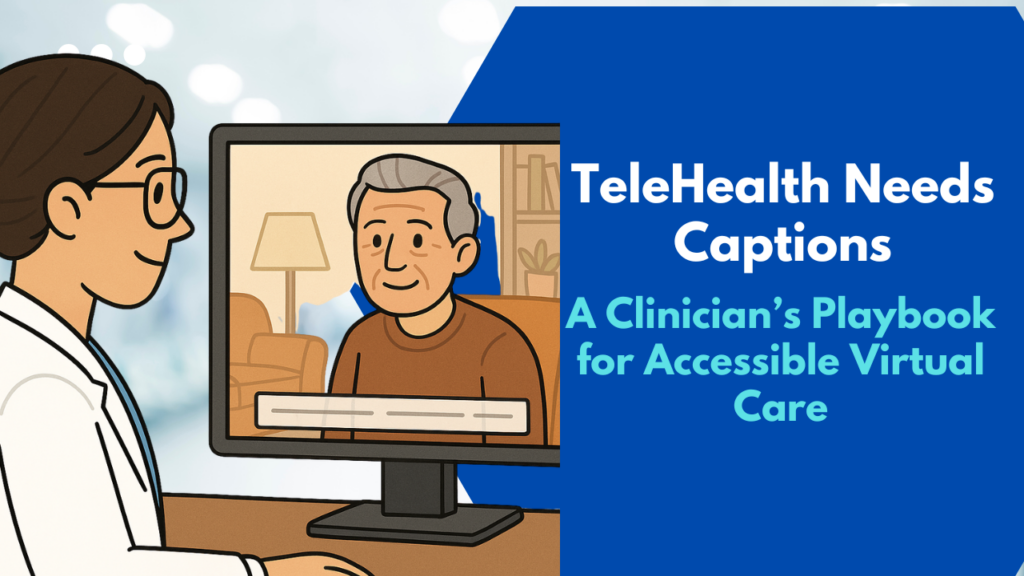
If you’ve ever repeated “Can you hear me now?” during a virtual visit, you already know: audio isn’t always reliable. Patients join from busy homes, patchy Wi‑Fi, different accents, and a range of hearing abilities. In that world, captions aren’t a convenience—they’re a clinical tool. This playbook shows how to add captions and transcripts to telehealth visits in a way that boosts clinical quality, keeps you compliant, and actually saves time. Whether you’re a solo provider, a hospitalist running virtual rounds, or a medical student leading tele-OSCEs, you can make virtual care more equitable with a few practical steps. Why captions are now a clinical tool Safety and comprehension: Captions catch what audio drops. Patients retain more information when they both hear and read instructions—especially for complex topics like anticoagulation or titrating insulin.Equity: Patients who are Deaf or hard of hearing, non-native speakers, or dealing with background noise benefit immediately. Captions reduce disparities in digital health access.Compliance: The Americans with Disabilities Act (ADA) and Section 1557 of the Affordable Care Act expect accessible communication. Captions are a straightforward way to meet those obligations in virtual settings.Documentation and continuity: A clean transcript supports after-visit summaries, patient education, and handoffs—without relistening to the whole call. Build a caption-ready telehealth workflow A. Before the visitChoose a tool that speaks medicine: General-purpose captioning often stumbles on “hypertrophic cardiomyopathy” or “piperacillin–tazobactam.” Using an AI transcription service fine-tuned on medical data (like MedXcribe) reduces dangerous mishears.Set expectations: Add a line to appointment reminders—“Live captions and a visit transcript are available on request.” For group visits or student observers, let everyone know captions are on.Prep consent and privacy: Explain how captions/transcripts are generated, stored, and who can access them. Obtain consent if your institution requires it. B. During the visitTurn on live captions at the start: Keep them visible throughout. Ask the patient if the size and placement work for them.Use clear mic habits: Face the mic, pause between medication lists, and spell critical terms once (e.g., “That’s amiodarone—A-M-I-O…”). AI learns and adapts faster when you help it with anchors.Label speakers: If your platform supports it, use speaker labels (Dr. Chen, Patient, Interpreter). It makes the transcript instantly useful.Handle interpreters wisely: If using an interpreter, keep them on-mic with you. Captions should reflect the interpreted language for patient comprehension. C. After the visitGenerate a structured transcript: Aim for timestamps, speaker tags, and sections like HPI, Assessment, Plan, Patient Instructions. This reduces copy-paste errors into the EHR.Send accessible instructions: Provide the patient with a plain-language visit summary and highlight medication changes. Link to patient-ed videos with captions enabled.Store with intent: Save transcripts where your policy allows, apply retention rules, and restrict access to care team members who need it. Quality, privacy, and compliance essentials Readability standards:– Latency: For live captions, aim for under 2–3 seconds delay.– Line length: Keep captions to about 32–42 characters per line, max two lines.– Contrast: High contrast text (e.g., white on black) helps low-vision users.– Placement: Avoid covering the patient’s face or shared imaging.Medical accuracy:– Target error rate: Strive for fewer than 3–5% word errors; prioritize zero errors for drug names, dosages, and procedures.– Expand ambiguous abbreviations in patient-facing transcripts (write “myocardial infarction” instead of “MI”).– Confirm critical items aloud and in text: “You’ll take warfarin 5 mg once nightly—spelled W-A-R-F-A-R-I-N.”Bilingual and multilingual care:– Provide captions in the language actually used during the visit.– For bilingual sessions, consider dual-language transcripts when appropriate for care teams and family caregivers.Privacy checklist (not legal advice—confirm with your compliance team):– HIPAA alignment: Use vendors that sign BAAs and support encryption in transit and at rest.– Data minimization: Disable retention by default unless clinical policy requires storing transcripts.– Access controls: Restrict transcripts to authorized users; avoid sharing outside secure portals.– De-identification options: For teaching or research, automatically redact PHI (names, MRNs, addresses) before sharing.Measuring success:– Patient comprehension: Track teach-back success rates and message volume after visits.– Clinical efficiency: Measure time saved on documentation and fewer follow-up clarification calls.– Accessibility impact: Monitor utilization of captions by patient preference; note reductions in no-shows among patients with hearing loss or limited English proficiency. Where MedXcribe fits MedXcribe is trained on medical terminology, so it recognizes the language of your daily practice—from “Epley maneuver” to “SGLT2 inhibitors.” It can power live captions for telehealth, then generate a structured transcript you can adapt into your note or patient instructions. With configurable privacy controls and medical-grade accuracy, it’s designed to be a reliable assistant, not another screen competing for attention. The takeaway In telehealth, captions are the new clinical vital sign: they stabilize understanding, reduce risk, and make care more humane. Start with one clinic session this week. Turn on live captions, label speakers, and share a clean summary afterward. Notice how the conversation changes when everyone can see—and trust—the words. Ready to try it? Explore MedXcribe for live, medically accurate captions and transcripts tailored to your virtual clinic, conferences, and teaching sessions.
Turn Grand Rounds Into a Searchable Learning Engine

On a Friday night before call, a neurology fellow searches for a clip she once heard on carbamazepine-refractory trigeminal neuralgia. Instead of scrubbing through a 60-minute grand rounds, she types a term into the transcript search bar and lands at the exact 02:13 timestamp. Five minutes later, she’s ready for rounds. That is the power of pairing medical video with accurate transcripts and captions—and it’s closer than you think. Why searchable transcripts change the game Faster learning and clinical decisions: Whether you’re prepping for boards or confirming dosing nuances, a searchable transcript lets you jump directly to the moment that matters. No more scanning slides or replaying audio.Accessibility for all: Captions support clinicians who are deaf or hard of hearing, non-native speakers, and anyone working in noisy wards or quiet libraries. Accessibility isn’t a bonus—it’s part of modern medical education.Better knowledge retention: Reading while listening improves comprehension. Highlighting, copying key lines into notes, and saving timestamped snippets makes knowledge stick.Research and QA workflows: Transcripts create a paper trail. You can tag themes (e.g., antimicrobial stewardship), pull verbatim quotes for policy updates, and audit how guidance evolves across sessions.Institutional memory: New residents can search last year’s morbidity & mortality or journal clubs by keyword, medication, or ICD-10 term and get up to speed fast. How to structure a medical transcript for maximum value Great transcripts do more than capture words. They make content navigable and clinically useful. Timestamps: Insert at regular intervals (every 30–60 seconds) and at section changes. These power deep-linking and searchable highlights.Speaker labels: Identify the attending, fellow, panelist, or moderator. Speaker diarization helps track who presented which data.Medical term fidelity: Keep drug names (generic and brand), procedures, and anatomy spelled correctly. Expand abbreviations on first use, e.g., “DKA (diabetic ketoacidosis).”Section cues: Mark slide changes and common academic segments: Objectives, Case Presentation, Imaging, Differential, Management, Take-Home Points.Visual alt-text: Briefly describe slide content that matters (e.g., “CT axial slice showing right MCA territory infarct”). This supports accessibility and preserves context if the video is watched without slides.Metadata: Add tags like specialty, disease, guideline year, patient population, and institutions. This transforms your library into a searchable database.Sensitive content handling: Redact names, dates of birth, and unique identifiers. Use age ranges, time windows, and generalized locations to preserve privacy while keeping clinical learning intact. A simple workflow you can start this week You don’t need a broadcast studio. You need a clear process. 1) Capture clean audio– Use a USB or lapel mic; avoid room echo.– Ask remote panelists to wear headsets and mute when not speaking.– Record separate audio tracks if your platform allows—it improves speaker separation. 2) Transcribe and caption– Upload the recording to an AI tool fine-tuned for medical language. MedXcribe is trained on medical data, so it recognizes terminology, medication names, and specialty phrases with high accuracy.– Generate both a full transcript (for search and notes) and caption files (SRT/VTT) for the video.– Enable speaker labels and timestamps; review key sections like drug names, dosages, and eponyms. 3) Review and polish– Expand abbreviations at first mention and standardize terminology across the session.– Add slide-change markers and brief descriptions of critical visuals.– Redact or anonymize any protected health information. If in doubt, cut it out. 4) Publish and organize– Post the video with closed captions and attach the transcript as a downloadable file.– Add metadata: specialty, topic, tags (e.g., “HFpEF,” “SGLT2 inhibitors,” “guidelines 2024”).– Build a simple index page that supports keyword search and jumps to timestamps. Many LMS or intranet portals support time-linked URLs. 5) Measure and iterate– Track search queries to learn what your audience needs.– Clip and highlight 60–90 second nuggets (pearls, algorithms, contraindications) and link back to the full talk.– Update transcripts when guidelines change; add notes at the top with “Updated on” and a summary of changes. Privacy and compliance: what to remember – Get consent for recording and distribution; publish internal vs. external access clearly.– De-identify cases rigorously. Follow HIPAA and institutional policy for PHI.– Prefer synthetic or composite cases for public-facing education.– Keep audit logs: who uploaded, who edited, and when. Why MedXcribe fits this use case Medical-grade accuracy: Fine-tuned on medical language for better handling of complex terms, accents, and rapid-fire panel discussions.Time-saving features: Speaker labels, timestamps, and export to SRT/VTT and text for instant publishing.Consistency at scale: Build a library where every video has the same structure, making search and study effortless. The bottom lineYour lectures, journal clubs, and grand rounds are a goldmine. With accurate transcripts and captions, they become a searchable learning engine that saves time, boosts accessibility, and preserves institutional knowledge. Start small: pick one playlist—sepsis updates, cardiology board review, or infectious disease cases—transcribe with MedXcribe, add captions, and publish with a simple index. In a week, your learners and colleagues will wonder how they ever managed without it. Ready to turn your medical videos into a resource you’ll actually use? Try MedXcribe today and make your next grand rounds instantly searchable.