
Beyond Translation: Building Safe, Accurate Multilingual Subtitles for Medical Content
You hit “publish” on a cardiology webinar and wake up to comments from clinicians in three continents. Global reach is a gift—and a responsibility. When medical content crosses languages, subtitles aren’t just cosmetic; they’re part of clinical communication. A mistranslated term or a misread dose can confuse learners, misinform patients, or undermine your brand’s credibility. With a rock-solid transcript as the foundation, multilingual subtitles can be both precise and accessible. Here’s how to get them right, every time. Why Multilingual Subtitles Matter in Medicine Safer learning and care: Clear, accurate subtitles help students and clinicians grasp unfamiliar terms, accents, and rapid speech—especially in complex specialties.Equity and inclusion: Patients and caregivers with hearing loss or limited proficiency in the source language benefit from subtitles that convey meaning, tone, and key non-speech sounds.Global collaboration: Research teams, CME providers, and device manufacturers can reach international audiences without losing nuance.Regulatory alignment: Many institutions and platforms encourage or require captioning; multilingual options extend that value to diverse populations. Common Pitfalls—and How to Avoid Them 1) Terminology driftProblem: Generic vs. brand names, Latin-derived terms, and abbreviations morph across languages. “Shock” (as in cardiogenic shock) vs. “choque” in Spanish can be ambiguous without context.Guardrail: Build a termbase before translation. List approved terms for diagnoses, procedures, drug names (prefer generic), devices, units, and common abbreviations. Lock these choices across all languages. 2) Dangerous numbersProblem: Decimal punctuation and unit conventions vary by locale (1.5 mg vs 1,5 mg). Thousands separators and date formats can also invert meaning.Guardrail: Standardize units (SI where possible), define numeric formats per locale, and avoid line breaks in numbers plus units. For patient-facing content, consider spelling out critical doses (for example, “one point five milligrams”). 3) Abbreviations without a keyProblem: Abbreviations like “MS,” “RA,” or “PT” can mean different things across contexts and languages.Guardrail: Expand on first mention in each language, then use the approved short form. Include an abbreviation key for translators and reviewers. 4) Over-literal translationProblem: Word-for-word translation can miss clinical intent, cultural norms, or patient-friendly phrasing.Guardrail: Provide context: slides, speaker notes, audience type (patients vs. clinicians), and learning objectives. Encourage translators to prioritize accuracy and clarity over literalness. 5) Overloaded captionsProblem: Dense subtitles race past, forcing viewers to choose between reading and watching.Guardrail: Follow readability guidelines. Aim for:– 1–2 lines per subtitle– ~35–42 characters per line (language-dependent)– 15–20 characters per second reading speed– 1.0–6.0 seconds display duration– Adequate shot and audio synchronization 6) Missing non-speech cuesProblem: Clinical meaning can ride on sounds: [ventilator alarms], [applause], [inaudible aside], or [laughter] that shifts tone.Guardrail: Use concise, consistent tags for meaningful non-speech audio. Prioritize sounds that affect comprehension or learning. 7) Right-to-left and diacritics mishapsProblem: Arabic, Hebrew, and certain diacritics can break if your toolchain isn’t configured.Guardrail: Confirm font support and encoding (UTF-8), test right-to-left rendering, and review exports on target platforms. 8) Inconsistent segmentationProblem: Random line breaks split clinical phrases and drive misreading.Guardrail: Segment at natural pauses. Keep medical noun phrases intact (for example, “acute decompensated heart failure” on one line). Avoid splitting the subject from its dose or unit. 9) Loss of confidentialityProblem: Subtitles can inadvertently reveal patient identifiers when content goes public.Guardrail: De-identify transcripts before translation. Redact names, dates of birth, MRNs, and specific encounter details unless you have explicit consent and a secure distribution plan. A Safe, Repeatable Workflow from Transcript to Subtitles 1) Start with a medical-grade transcriptUse a transcription tool trained on medical audio. Accurate recognition of jargon, abbreviations, and drug names reduces downstream fixes. MedXcribe’s medical focus makes a strong foundation. 2) Clean and segment for readabilityEdit filler words only when they don’t change meaning. Segment sentences at natural breaks. Attach numbers to their units. Add speaker labels where relevant (for example, “Attending,” “Fellow,” “Patient”). 3) Build a terminology packCreate a bilingual (or multilingual) glossary: diagnoses, procedures, drug generics, device names, anatomical terms, and standardized abbreviations. Note locale variants (for example, Spanish for Mexico vs. Spain). 4) Translate with contextShare slides, visual cues, and intended audience. For patient education, aim for lower reading level and plain-language equivalents. For CME, preserve precision with standardized terms. 5) Quality assurance loop– Run a bilingual review focused on:– Terminology consistency with the termbase– Numbers, dates, and units– Line length, reading speed, and timing– Non-speech tags and tone– Consider back-translation for high-risk or regulatory content. 6) Technical validationTest on target platforms (LMS, YouTube, hospital intranet). Verify encoding, right-to-left rendering, and subtitle formats (SRT, VTT). Check that captions don’t cover critical on-screen data. 7) Governance and updatesVersion your subtitles. When clinical guidelines or labeling change, update the termbase and propagate revisions across languages. A quick story A team released a Spanish subtitle track for a pharmacology lecture. Early viewers flagged “0,5 mg” where the voice clearly said “0.5 mg.” In Spain, the comma is standard, but the audience was largely in Latin America, where clinical teams often prefer the dot for clarity in mixed-language workflows. The team updated the locale settings, spelled out critical doses for patient clips, and adopted a termbase. Complaints vanished, and engagement rose. Conclusion: Accuracy is a team sportGreat multilingual subtitles start with great transcripts, disciplined terminology, and thoughtful formatting. Whether you’re producing CME, patient education, or research recordings, the safest path is a consistent workflow. Ready to build on a reliable foundation? Generate precise, medical-grade transcripts and time-coded captions with MedXcribe, then layer in your multilingual process with confidence.
Privacy-First Transcription: De‑Identifying Clinical Audio for Research and Teaching
A cardiology resident recorded a brilliant bedside teaching moment on murmurs—clear audio, crisp explanations, and a perfect learning case. The only problem? The recording contained the patient’s name, a unit location, and a specific admission date. Suddenly, a great lesson turned into a compliance headache. If you create medical content—grand rounds, simulation debriefs, bedside pearls, or case podcasts—you’ve likely faced the same tension: share knowledge widely, protect privacy completely. That’s where a privacy-first transcription workflow makes all the difference. Why De‑Identification Matters (and Where It Sneaks In) In healthcare, de‑identification isn’t optional; it’s essential. Names and MRNs are obvious, but identifiers creep into audio and video in subtle ways:Spoken intros: “Mr. Alvarez came in last Tuesday…”Off‑hand details: “Transferred from 6E at St. Mary’s.”Visual cues in video captions: badge names, room numbers, the hospital logo + unit.Context clues: rare disease + small town + exact date. Text is searchable and persistent; captions and transcripts travel farther than a live talk. That means your de‑identification must be rigorous, repeatable, and reviewable. What Counts as Identifiable? When in doubt, assume more, not less, is sensitive—especially in audio. Common categories to scrub or transform include:Direct identifiers: names, phone numbers, addresses, email, MRN, insurance IDs.Time anchors: exact admission/discharge dates, birthdays, unique timestamps.Location markers: hospital names, specific units/clinics, small-town references.Personnel details: clinician names (if not intended for public disclosure).Combinations: rare diagnoses + specific dates + locale can re‑identify. Aim to preserve clinical meaning while removing trace-back risk. For example, “admitted 09/14/2025” becomes “admitted approximately two weeks ago,” and “Mr. Alvarez” becomes “[Patient].” A Practical, Privacy-First Workflow 1) Capture intentionally– Plan for privacy before you hit record. Ask speakers to avoid names, exact dates, and precise locations.– If video: blur whiteboards, badges, and screens during editing. 2) Transcribe with medical accuracy– Use a medically tuned transcription tool like MedXcribe. Higher medical accuracy reduces mis-heard identifiers (e.g., drug names vs. surnames) and lowers the chance of missing PHI hiding in jargon. 3) Automate redaction, then human-review– Set rules to auto-replace likely identifiers: names, numbers, dates, and locations.– Use consistent placeholders to keep the transcript readable and research‑ready:– [Patient], [Clinician], [Hospital], [Unit]– [MRN], [Phone], [Email]– [Date-Shifted], [Age-Approx]– Keep timestamps and speaker labels; they preserve educational value without risking identity.– Always do a human pass. A trained reviewer catches context-based identifiers (“the only CF patient in our town”) that rules miss. 4) Preserve meaning with smart transformations– Date shifting: Apply a consistent offset (e.g., +23 days) across the case so intervals remain accurate without revealing real dates.– Age ranges: Convert specific ages to bands (e.g., 32 → early 30s) when age is not clinically crucial.– Location abstraction: “Transferred from 6E at St. Mary’s” → “Transferred from another unit.” 5) Standardize your outputs– Maintain a de‑ID legend describing how replacements were handled (no real values—just your method).– Store two versions when appropriate:– Internal secure transcript (minimally de‑identified).– Public/shared transcript (fully de‑identified with placeholders and date shifting).– Export both text and captions so your video and transcript stay synchronized. 6) Audit and iterate– Track where leaks have occurred historically (e.g., intro chit‑chat, Q&A segments) and adjust your capture and review checklists.– Train your team with short examples of “before” and “after” de‑identification so expectations are clear. Pro Tips From the Trenches Beware the greeting and the goodbye: Names and dates often surface in the first and last 30 seconds of recordings.Q&A hotspots: Audience questions frequently include unit names, clinicians, and exact timelines. Consider summarizing Q&A in text rather than verbatim publishing.Multilingual or accented speech: Medically tuned models help disentangle names from drug terms across accents. Always pair AI with a reviewer who knows the clinical context.Keep the story, lose the trail: Replace identifiers but retain the clinical arc—presenting symptoms, differential, decision points, outcomes. That’s the educational gold.Use consistent placeholder grammar: “[Patient] reported taking [Medication]” reads cleanly and scales across documents.Make your style guide short and visible: One page that defines placeholders, date shifting, age bands, and what to do with clinician names (often anonymized to [Attending], [Resident]). Where MedXcribe Fits In MedXcribe is purpose‑built for medical audio and video, delivering high accuracy on complex terminology. That accuracy is the foundation of safe de‑identification—you can’t redact what you can’t reliably recognize. Teams use MedXcribe to:– Create precise transcripts and captions for lectures, bedside teaching, simulation debriefs, and research interviews.– Apply consistent replacements and placeholders to protect privacy while keeping content useful.– Export clean, shareable text and caption files that align with your final video edits. The Bottom Line Great medical education and bulletproof privacy can coexist—if you design for both. Start with accurate transcription, add rule‑based redaction, insist on human review, and ship standardized outputs that preserve the teaching while erasing the trail back to a real person. If you’re ready to build a privacy‑first transcription pipeline for your lab, residency program, or CME library, try MedXcribe on your next recording. Turn clinical audio into research‑ready, shareable learning—safely, consistently, and without losing the story that matters.
From Grand Rounds to Googleable: Turn Medical Videos into a Searchable Knowledge Base
If you record grand rounds, tumor boards, or CME lectures, you’re probably sitting on a goldmine that’s hard to find. Hours of brilliant discussion get uploaded, filed, and forgotten—so when a resident needs that one slide on Takotsubo patterns or a researcher wants the exact quote on a trial’s inclusion criteria, everyone wastes time hunting through timelines and shared drives. Imagine typing “Takotsubo troponin curve” and landing on the exact minute of last month’s cardiology talk—complete with a clean transcript, speaker labels, and a link to the slide. That’s the promise of a searchable knowledge base powered by accurate medical transcripts. Why transcripts do more than check the accessibility box Instant searchability: Text makes your videos discoverable. A transcript indexed by common medical terms (diagnoses, drugs, procedures) turns a 60-minute lecture into a 30-second answer.Skimmability for busy clinicians: Clinicians can scan key sections before committing to a full watch, or jump straight to the Q&A.Education and onboarding: New trainees can rapidly catch up on your department’s “institutional memory”—the how and why behind decisions, not just the what.Research and citation: Accurate quotes with timestamps are citable in IRB proposals, protocol drafts, or literature reviews.Continuity and quality: Tumor boards, M&M conferences, and case conferences gain lasting value when decisions and reasoning are searchable, not just recorded. A real-world moment: A PGY-2 needs to brief her attending on anticoagulation reversal in a specific renal profile before rounds. She searches your archive for “andexanet renal dosing panel Q&A,” finds the clip in seconds via transcript search, and bookmarks the exact minute mark. Ten minutes later, she’s prepared—and calm. A practical blueprint for building your searchable library 1) Capture consistently– Decide what to record: grand rounds, subspecialty case conferences, CME talks, simulation debriefs, patient education modules.– Aim for clean audio: a boundary or lapel mic, minimal background noise, and clear turn-taking on panels. 2) Transcribe with medical accuracy– Use a tool trained on medical language. MedXcribe is fine-tuned on medical data, so complex terms (drug names, anatomy, rare syndromes) are recognized with high accuracy.– Include timestamps and speaker labels: This makes content scannable and lets users jump to exact moments.– Export smartly: Keep both text (for indexing) and caption files like SRT or VTT (for on-video navigation). 3) Structure your transcripts for speed– Add a short abstract: 3–5 bullets with key takeaways at the top of each transcript.– Insert headings: Break by sections—Introduction, Case Presentation, Discussion, Q&A.– Tag keywords: Clinical domains, drug names, ICD-10/MeSH terms, procedures, and abbreviations used locally.– Link to artifacts: Slides, protocols, order sets, references. 4) Publish where people already work– Centralize access: Your intranet, LMS, SharePoint, Confluence, or a department wiki.– Pair video + transcript: Place the player and transcript on the same page; enable CTRL/CMD+F for instant matches.– Index everything: Turn on full-text indexing so search tools crawl transcripts and captions. 5) Protect privacy and compliance– Decide what contains PHI and set access appropriately.– Redact identifiers in transcripts when needed and store patient-linked content behind stricter permissions.– Align with your institution’s policies for retention and audit. Pro tips that raise the signal (and save time) Timestamp every 30–60 seconds: Easier skimming; most players can “jump to” these markers with captions.Mark slide changes: Insert [Slide: Title] in the transcript when the presenter transitions—huge for later review.Label Q&A clearly: Prepend questions with “Q:” and answers with the speaker’s name to improve search precision.Build a shared glossary: Standardize spellings for drug names, devices, and local acronyms; update your transcription tool’s custom vocabulary for even better accuracy.Enable multilingual captions for patient education: For consent videos, rehab instructions, or discharge teaching, support the top languages in your community to reduce misunderstandings and callbacks.Track engagement: Simple analytics (views, time on page, top search terms) show what’s valuable and where to improve. Where MedXcribe fits Medical-first accuracy: Fine-tuned on clinical language, MedXcribe helps capture specialized terminology that generic tools miss.Speaker labels and timestamps: Make it easy to navigate multi-presenter sessions and long-form content.Flexible exports: Get clean text for indexing and SRT/VTT for closed captions.Custom vocabulary: Seed specialty terms, device names, or local abbreviations to boost precision. Start small, scale fast – Pick one recurring meeting (e.g., weekly grand rounds).– Record, transcribe with timestamps and speakers, add a 5-bullet abstract, and post to your team’s workspace.– After two weeks, ask your users: Did you find what you needed faster? What tags would help? Which sections should we add?– Expand to one more series (e.g., tumor board), then to patient education modules. The bottom line Healthcare teams already create incredible content; the problem is finding it when it matters. Accurate, structured transcripts turn hours of video into a searchable, shareable knowledge base that increases clinical readiness, improves education, and preserves institutional wisdom. Want to try it on your next lecture or case conference? Upload your recording to MedXcribe, generate an accurate transcript with timestamps and speaker labels, and publish it with a short abstract. In one week, your team will wonder how they ever worked without it
Privacy First: A Practical Guide to Secure Medical Transcription and Captions
A night-shift resident records a tumor board for later review. The audio is crisp, the discussion is brilliant—and the transcript ends up copied into a shared Google Doc with open permissions. No breach alarms, no headlines. Just one link away from an avoidable privacy incident. If you create, use, or share medical transcripts and subtitles, the difference between compliant and risky often hides in small workflow choices. In this guide, we’ll walk through a simple, end-to-end checklist for securing medical transcription and captions—so you can deliver accessibility without compromising privacy. What actually counts as PHI in transcripts and captions It’s easy to see PHI in scanned documents and EHR extracts, but text and time-stamped captions are just as sensitive. In most regions, privacy rules (like HIPAA in the U.S.) protect any information that can identify a patient, alone or in combination. In transcripts and subtitles, watch for:– Names and initials (patients, family members)– Dates directly tied to care (admission/discharge, procedure dates, birthdates beyond the allowed year-only format)– Contact details (address, phone, email)– Unique numbers (MRN, account, insurance, device serials)– Location details (room numbers when tied to the patient, specific clinic locations)– Rare conditions, small cohorts, or combinations of details that could re-identify a patient– Visual or audio references in videos that name the patient, show faces, or display screen data Tip: Educational recordings often feel “safe,” but case presentations and grand rounds frequently include identifiers in introductions, imaging labels, or Q&A. Assume PHI is present unless formally de-identified. The security checklist: from microphone to archive 1) Plan consent and purpose up front– Confirm whether the recording is for care, education, research, or public outreach—purpose determines consent needs.– Obtain written consent when appropriate; specify how transcripts/captions will be stored and shared.– For education, plan a de-identification step before any external distribution. 2) Capture with privacy in mind– Record in a quiet, controlled environment. Fewer background voices mean fewer unintended identifiers.– Disable on-screen notifications and screen pop-ups before screen recording.– Use dedicated, encrypted devices where possible; avoid personal phones with auto-backups to consumer clouds. 3) Choose a secure transcription/captioning workflow– Use vendors who offer encryption in transit and at rest, strong access controls, and transparent data handling.– Obtain a Business Associate Agreement (BAA) where required for PHI.– Prefer tools fine tuned on medical data to reduce error-related rework. Higher accuracy means fewer risky copy/paste cycles and fewer uploads to “quick-fix” tools. 4) Control access and roles– Share on a need-to-know basis. Limit editors to those who must correct or approve text.– Use single sign-on (SSO) or multi-factor authentication when available.– Avoid emailing transcripts. Use secure links with time-limited access and viewer-only permissions. 5) De-identify before broad sharing– Remove or mask identifiers noted above. Replace with neutral tags like [Patient], [Date], or [Location].– Scrub metadata too: filenames, internal notes, and export properties can leak details.– For video, blur faces and crop screens where identifiers appear. Ensure captions match the de-identified audio. 6) Maintain quality without leaking data– Build an internal style guide so editors don’t need to solicit context via chat or email. Include:– Preferred expansions of abbreviations (e.g., “SOB” as “shortness of breath” where audience-appropriate)– Drug names, dosages, and units formatting– Speaker labeling conventions (e.g., Surgeon:, Anesthesiologist:)– Route QA inside the same secure platform to avoid download/re-upload loops. 7) Archive and delete responsibly– Set retention schedules aligned with policy and law.– Keep an auditable trail of who accessed, edited, or exported files.– Use secure deletion for files no longer needed—emptying a local trash bin isn’t enough if synced to cloud backups. Make accessibility and compliance work together Accessibility isn’t optional in modern healthcare and education. Patients who are Deaf or hard of hearing, clinicians reviewing content on the go, and international learners all benefit from accurate captions and transcripts. You don’t have to compromise security to achieve that. Aim for accuracy, not perfectionism: For internal clinical use, accurate terminology and speaker labeling are critical. For patient education, prioritize plain language and define jargon.Standardize your caption style: Set line length, reading speed, and consistent spelling of medical terms. Consistency reduces edits and accidental re-uploads.Consider multilingual needs: If you translate captions, treat translations as PHI until de-identified. Use vetted medical translators or models trained on medical data.Make content searchable securely: Store transcripts in a HIPAA-aligned knowledge base. Search saves time; access controls protect privacy. Where MedXcribe fits MedXcribe was built for medical professionals and students, and it’s fine tuned on medical data—so you get high accuracy on clinical vocabulary, which directly reduces risky rework and data sprawl. If your use involves PHI, ask us about security features, data handling practices, and options to support your compliance requirements. We’re happy to discuss BAAs, retention settings, and workflows for de-identification. A quick starter plan you can adopt today– Make a one-page recording policy for your team: purpose, consent, and where files live.– Pick one secure platform to handle upload, editing, and export—avoid tool-hopping.– Create a de-identification checklist and apply it before any external sharing.– Assign an owner for archives and deletion; review quarterly. Accessibility with guardrails Transcripts and captions open doors—to safer care handoffs, richer medical education, and truly inclusive patient communication. With a privacy-first workflow, you can keep those doors open without opening the wrong ones. Ready to build a secure, accessible media pipeline? Try your next recording with MedXcribe and ask our team for a privacy walkthrough tailored to your use case. This article is for informational purposes only and does not constitute legal advice. Consult your compliance and legal teams for requirements in your jurisdiction.
HIPAA‑Smart Captioning: A Practical Workflow for Secure Medical Transcripts and Videos
If a tumor board discussion happens but the transcript leaks, did it help anyone? Healthcare teams need accurate notes, captions, and searchable audio—but not at the cost of privacy. The good news: you can have both. Here’s a practical, human-friendly guide to building a HIPAA‑smart transcription and captioning workflow that supports clinical care, teaching, and research. Note: This post is for educational purposes and does not constitute legal advice. Always consult your compliance officer or legal team. What Actually Counts as PHI in Transcripts and Captions It’s easy to underestimate how much Protected Health Information (PHI) can slip into audio, transcripts, or subtitles. It’s not just names. Common PHI in recordings and captions includes:Patient identifiers: name, DOB, address, phone number, email, MRN, account numbersDirect references: rare disease descriptions tied to a location or event, room numbers paired with namesVisual identifiers in videos: wristbands, charts, whiteboards, screen shares with EHR dataLess obvious details: exact dates of admission/discharge, unique case descriptions in a small community Pro tip: Treat any audio or video created in a clinical context as containing PHI by default, unless deliberately de-identified. Build a HIPAA‑Smart Workflow in 10 Steps Whether you’re a hospitalist summarizing rounds, a researcher recording interviews, or an educator captioning lectures, this checklist helps you stay secure without slowing down. 1) Get consent or document your authority– Clinical care: follow institutional policy for recording. If recording patients, obtain informed consent when required.– Education and research: use IRB-approved language for recordings and transcripts. 2) Minimize PHI at the source– Encourage speakers to avoid names or unique identifiers when possible.– In teaching videos, use simulated data or de-identify case details. 3) Use secure capture and upload– Record on managed devices, not personal phones.– Upload over encrypted connections to a HIPAA-ready platform. 4) Verify your vendor’s stance– Look for encryption at rest and in transit, access controls, audit logs, and clear data retention options.– Ensure a Business Associate Agreement (BAA) is available where HIPAA applies. 5) Choose a model tuned for medicine– General speech-to-text tools may confuse drug names or anatomy, creating safety risks.– A medical-tuned engine reduces homophone errors (e.g., ilium vs. ileum) and misheard medications. 6) Set role-based access– Restrict projects to only those who need them.– Use SSO if available and implement MFA for all accounts. 7) Redact and review– Automatically flag and redact identifiers in transcripts and captions when feasible.– Assign a reviewer to verify clinical terminology and remove lingering PHI from teaching or research exports. 8) Standardize terminology and abbreviations– Create a style guide for expansions of abbreviations (e.g., “MS” becomes “morphine sulfate” or “multiple sclerosis” depending on context).– Maintain a custom glossary for drug names, devices, and local acronyms. 9) Control retention and exports– Set default retention periods aligned with policy.– Limit who can download raw audio. Prefer platform-based sharing with expiring links.– For educational videos, publish a de-identified caption track separate from the clinical transcript. 10) Keep an audit trail– Track who accessed, edited, exported, or deleted content.– Periodically review permissions and archive old projects. Quality Without Compromise: Accuracy, Speed, and Safety Security is necessary, but accuracy drives clinical impact. Here’s how to balance both. Aim for medical-grade accuracy: In medicine, a single misheard syllable can change care. Prioritize engines fine-tuned on medical audio, with support for accents, overlapping speech, and domain-specific vocab.Master timestamps and speaker labels: Speaker turns, timestamps, and confidence markers help locate the exact moment a plan changed or a dose was discussed.Use captions as cognitive support: Clear subtitles aid multilingual teams, clinicians with hearing loss, and fatigued learners catching details during long calls or lectures.Close the loop with human review: For high-stakes content (operative reports, discharge teaching, protocol videos), add a quick expert review step. A two-minute pass can catch the occasional “milligrams” vs. “micrograms.” A Real-World Mini-Playbook Morning rounds: Record securely, transcribe with a medical-tuned model, and generate a timestamped summary. Redact patient identifiers before sharing with cross-coverage teams.Grand rounds video: Produce two caption files—one verbatim for archival review with protected access and one de-identified for public education.Research interviews: Store encrypted audio, transcribe within a HIPAA-ready platform under a BAA, de-identify transcripts, then export only what the protocol allows. The MedXcribe Difference MedXcribe is built for medical speech. Our AI is fine-tuned on medical data to deliver highly accurate transcripts and captions across specialties and accents. We support workflows that help organizations handle PHI responsibly—from secure upload and role-based access to medical terminology handling and export controls. If you’re setting up a new workflow or upgrading an old one, we’re happy to share templates for style guides, consent language pointers, and de-identification checklists. Takeaway and Next StepsYou don’t have to choose between compliance and clarity. With a HIPAA‑smart workflow and a medical-grade engine, you can capture the nuance of clinical conversations while safeguarding privacy. Ready to see how accurate, secure transcription and captioning can look in your environment? Try MedXcribe on a sample recording or request a walkthrough. Your words matter—let’s keep them both precise and protected.
The Medical Caption Style Guide: Make Every Dose, Digit, and Diagram Crystal Clear
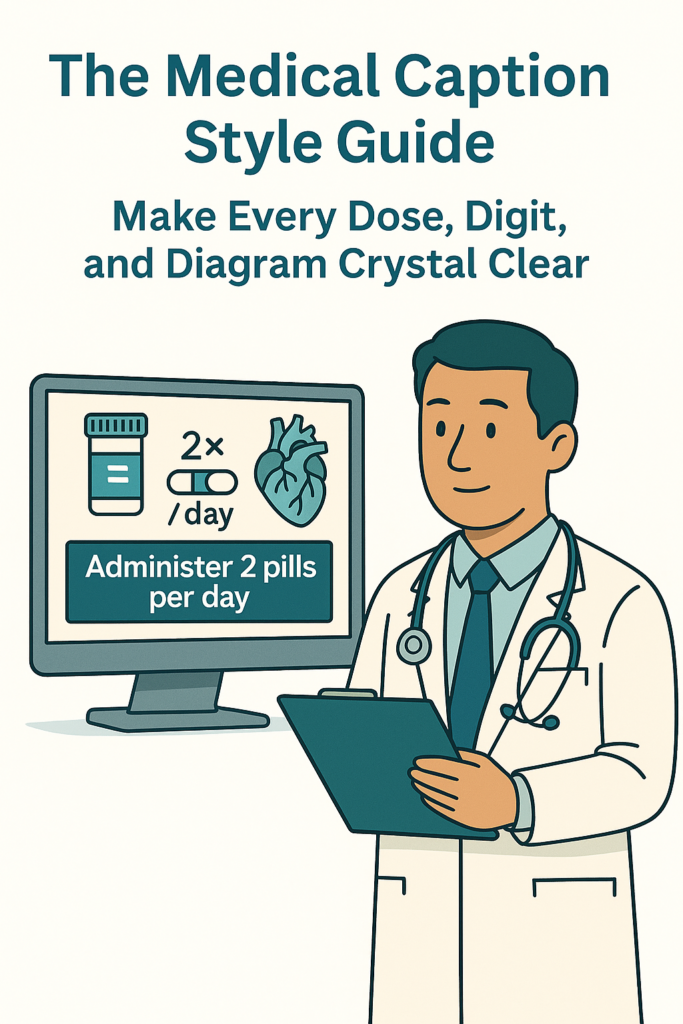
A cardiology fellow pauses the video. “Did she say 0.5 mg/kg or 5 mg/kg?” In medicine, a single missing zero can turn a good lecture into a confusing one. Captions are more than words on a screen—they’re safety rails for comprehension, especially when the content is fast, technical, and high stakes. That’s why medical videos need a style guide built for medicine, not just media. Note: This guide focuses on clarity and accessibility in educational and professional content. It is not clinical or legal advice. Why Medicine Needs Its Own Caption Style Medical content carries unique risks and expectations:Dense terminology: anatomy, pharmacology, devices, and eponyms fly by fast.Numbers matter: doses, vitals, ranges, and units can’t be ambiguous.Multi-speaker settings: panels, OR teams, and bedside demos need clear speaker labels.Accessibility and inclusion: captions help deaf and hard-of-hearing viewers, non-native speakers, and tired clinicians at 11 p.m. after call. MedXcribe is fine tuned on medical data to produce highly accurate transcriptions, but the last mile—how those words appear—can make or break understanding. Use the rules below as your team’s shared playbook. The 12 Rules of Medical Caption Clarity 1) Prioritize meaning over fillerRemove “um,” “uh,” and false starts unless they add context. Keep hesitations if they change meaning (e.g., uncertainty in a diagnosis). 2) Expand unsafe abbreviationsAvoid error-prone shorthand: use daily (not qd), units (not U), micrograms (not µg), milliliters (not cc), and left/right (not L/R) when ambiguity is possible. When in doubt, spell it out. 3) Numbers and units are nonnegotiable– Use numerals for doses, vitals, labs, and statistics: 5 mg, 98%, 7.4 pH.– Include a leading zero before decimals: 0.5 mg, not .5 mg.– Put a space between number and unit (5 mg) except for percentages (98%).– For ranges, use “to” for clarity: 15 to 20 mg, not 15–20 mg. 4) Drug names and doses– Use generic names in lowercase unless a brand is explicitly discussed (insulin glargine; Lantus when comparing brands).– Capture dose, route, and frequency when spoken: cefazolin 2 g IV every 8 hours.– If the salt form is clinically relevant and mentioned, include it (metoprolol tartrate vs succinate). 5) Acronyms and first mentionOn first use, expand and then abbreviate: acute respiratory distress syndrome (ARDS). Thereafter, use ARDS consistently. 6) Greek letters, symbols, and ionsSpell out Greek letters: alpha, beta, gamma. For ions, write potassium (K+) or calcium (Ca2+) as spoken; don’t assume the symbol if it wasn’t said. 7) Time, speed, and counts– Use 24-hour time if the speaker does (14:00). If ambiguous, prefer descriptive text: at 2 p.m.– For heart rate, respiratory rate, and other per-minute values, include the unit as spoken: 90 beats per minute, 20 breaths per minute. 8) Speaker labels for teamsWhen there are multiple voices, label clearly on first appearance and as needed: Dr. Lopez:, Nurse:, Patient:, Moderator:. Keep labels short and consistent. 9) Capture on-screen text that mattersIf the video relies on slides, device readings, or labels, include them succinctly: [Slide: Management Algorithm], [Monitor: SpO2 92%], [Ultrasound: gallbladder wall thickening]. 10) Note relevant non-speech audioAdd brief brackets for meaningful sounds: [alarm beeping], [scissors cutting suture], [applause], [laughter]. Skip background noise that doesn’t inform. 11) Readability beats density– Aim for no more than 2 lines per caption.– Keep each line concise (roughly 42 characters) and readable at a glance.– Target a comfortable reading speed (around 15–20 characters per second). Break lines at natural phrase boundaries. 12) Protect privacy in educational contentDe-identify when needed: [name redacted], [DOB redacted]. Avoid disclosing patient identifiers unless you have explicit consent for educational use. A Simple, Reliable Workflow with AI + Human Review 1) Prepare your term listBefore transcription, jot down key terms: drug names, device models, anatomy, trial acronyms, and speaker names. This “cheat sheet” increases precision during review. 2) Generate a draft with MedXcribeUpload your audio or video. Because MedXcribe is trained on medical data, you’ll start with a strong baseline: terminology, drug names, and procedures are typically recognized correctly even in fast lectures. 3) Apply the style pass– Numbers and units: sweep for leading zeros, spacing, and ranges.– Abbreviations: expand unsafe ones; standardize acronyms.– Speaker labels: add or refine in panel discussions.– On-screen text: insert [bracketed] cues only where they clarify the content. 4) Validate against source materialCross-check with slides, captions on medical devices, and any posted references. When in doubt, replay difficult sections at reduced speed or check a second source. 5) Final polish and exportKeep formatting consistent across the whole video series. Export to standard caption formats (e.g., SRT or VTT) and preview on the target platform to verify timing, contrast, and line breaks. Pro Tips for Common Medical Scenarios Procedures and OR videos: Prioritize steps, instruments, and safety calls. Label speakers when multiple voices overlap.Journal clubs: Include key data points from figures and tables if the speaker relies on them for the argument.Patient education: Use plain language when the presenter does; define jargon the first time it appears.Multilingual names and terms: Preserve original pronunciation where possible; avoid anglicizing drug names if the correct term is clear. The TakeawayGreat captions don’t just repeat audio—they resolve ambiguity. In medicine, that means getting doses, units, names, and steps unmistakably right. Pair MedXcribe’s medically tuned transcription with a simple, shared style guide, and you’ll bring lectures, procedures, and patient education to life for every learner. Ready to try? Run your next lecture or procedure video through MedXcribe, apply the 12 rules, and share the style guide with your team. Clear captions start here.
Secure, Accurate, Accessible: A HIPAA-Smart Playbook for Medical Transcription and Captions
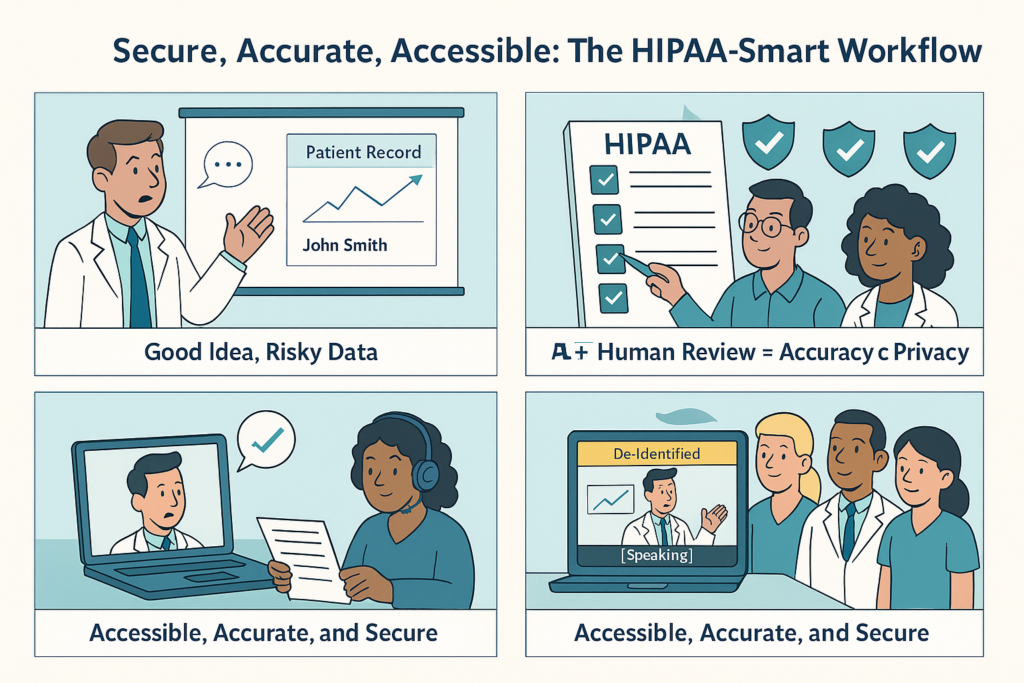
A cardiology fellow records grand rounds to share with interns. A resident with hearing loss asks for captions. Compliance wonders whether the slides show admission dates or MRNs. Suddenly, a helpful idea becomes a risk assessment. Sound familiar? You can have both clarity and compliance—if you approach transcription and captioning the HIPAA-smart way. This playbook outlines how healthcare teams can deliver accurate transcripts and closed captions without compromising privacy, whether you’re producing patient education videos, telehealth recaps, or teaching conferences. What “Protected” Really Means in Transcripts and Captions In healthcare, audio and video almost always contain Protected Health Information (PHI). Even if a patient’s face isn’t visible, transcripts or captions can include names, dates, locations, or device IDs. Assume PHI is present unless content is intentionally de-identified. Common ways PHI slips in: Grand rounds or M&M conferences with dates or rare diagnoses Telehealth recordings with patient identifiers Procedure videos showing monitor overlays or timestamps Research interviews mentioning participant context Accessibility and privacy aren’t opposites. Captions support clinicians and students who are Deaf or hard of hearing, non-native speakers, and anyone learning complex material. The goal is to retain clinical precision while removing identifiers. The Vendor Security Checklist Before uploading a file, confirm your platform meets healthcare’s compliance standards. Security must-haves: Business Associate Agreement (BAA) Encryption in transit (TLS 1.2+) and at rest (AES-256) Role-based access and least-privilege permissions Single sign-on (SSO/SAML) and MFA support Audit logs with exportable activity trails Data retention controls and secure deletion Data residency options No model training on your data without explicit consent Breach response and notification protocols Quality and workflow essentials: Medical-grade transcription accuracy Custom vocabulary (drugs, devices, genes, acronyms) Speaker labels and timestamps Sidecar caption exports (SRT/VTT) Redaction or de-identification options MedXcribe was built specifically for medical content. Fine-tuned on clinical language, it recognizes complex terms like dapagliflozin, Watchman, and hemoglobin electrophoresis without confusion—cutting correction time dramatically. A 7-Step HIPAA-Smart Workflow 1. Map the use caseIdentify your audience, deliverables, and whether PHI is necessary. 2. Minimize PHI upfrontScrub slides, blur patient images, and coach presenters to avoid identifiers. 3. Capture clean, compliant audioUse quality mics, neutral file names, and visible consent notices. 4. Secure upload and permissionsStore in private workspaces, use role-based access, and apply SSO or expiring links. 5. Tune for medical accuracyAdd specialty terms and have a clinician or transcriptionist do a quick QA pass. 6. Make captions readable and compliantKeep 1–2 lines per screen, sync closely, use plain punctuation, and redact identifiers in public versions. 7. Publish, archive, and dispose responsiblyHost securely, apply retention schedules, and log all access or deletions. A Real-World Example A teaching hospital used this approach to caption morning reports. After de-identifying slides and using a medical-tuned transcription engine, reviewers spent just 15 minutes per hour of audio on final checks—fast enough for same-day release. Residents reported better recall and understanding when captions were on. Key Takeaways Accuracy, accessibility, and privacy can coexist. Treat all recordings as PHI unless intentionally de-identified. Use platforms that meet healthcare’s security bar. Build a repeatable process: minimize PHI → capture clean audio → review fast → publish safely. If you’re ready to scale secure, accurate medical transcription and captions, start small—a couple of sessions, one teaching video. Measure review time, satisfaction, and accessibility impact. MedXcribe helps you get there: fine-tuned for medical language, designed for teams that can’t compromise on accuracy or compliance. Note: This article is for informational purposes only and does not constitute legal advice. Always consult your compliance team for specific guidance.
Sound Medicine: A Clinician’s Guide to Recording Audio That Transcribes Right the First Time
Dr. Rao used to dictate on the walk from radiology to clinic. Elevators, hallway chatter, and the crinkle of a lab coat turned every transcript into a scavenger hunt. One quiet room and a $25 clip-on microphone later, his notes arrived clean, on time, and ready to sign. The difference? Not magic—just better audio. Good input makes great transcripts. Whether you’re dictating clinic notes, recording tumor boards, or creating teaching videos, the way you capture sound determines how much time you’ll spend fixing it later. Here’s a quick, practical guide to help your words reach the page accurately and effortlessly. Why audio quality matters in medicine Accuracy is clinical: Misheard doses and drug names aren’t typos—they’re risks. Even with a medically tuned engine like MedXcribe, noisy audio can blur 15 vs. 50, or Zyrtec vs. Zyrtec-D.Time is money (and sanity): Cleaner audio means fewer corrections, faster turnaround, and less burnout for clinicians, students, and transcription teams.Compliance and credibility: Clear, complete records help with audits, medico-legal questions, and continuity of care. They also build trust in your workflows and tools. The clinical audio playbook 1) The room: set the stage– Pick quiet over convenient: Close the door. Avoid HVAC vents, corridors, and open nurse stations.– Soften the space: Fabric matters. A coat on a chair, curtains, or a carpet reduces echo.– Post a pause sign: A “Recording in progress” note or a door indicator prevents interruptions.– Reduce device noise: Silence phone alerts and disable keyboard clicks. 2) Your voice: be your own narrator– Mic distance: Keep a consistent 6–8 inches from your mouth (or follow your headset’s guidance). Don’t swing the mic.– Pace and enunciate: Slightly slower than conversation. Pause between sections (e.g., History, Exam, Plan).– Be explicit with numbers: Say “one five milligrams” for 15 mg; “fifty five zero” for 50; clarify units.– Spell or anchor rare terms: “Abemaciclib—A, B, E, M…” or “Xgeva, denosumab.” First mention only, then use short form.– Read punctuation where needed: For addresses, emails, and drug titration schedules, brief punctuation cues help.– Use a template: Consistent structure boosts accuracy. Example flow: Chief complaint, HPI, PMH, Meds, Allergies, ROS, Exam, Labs/Imaging, Assessment, Plan. 3) Devices and settings: right tool, right setup– Choose your mic wisely:– Best: Wired headset or wired lapel (lav) mic—reliable and close to your voice.– Good: USB desktop mic positioned near you, away from the desk edge (to avoid thumps).– Avoid: Laptop speakerphone far away; room mics in echoey spaces.– Check levels: Aim for healthy volume without peaking. Do a 10-second test and listen back.– File format: WAV or high-quality MP3/M4A at 16 kHz or higher sample rate; mono is fine for solo dictation.– Power and backup: Charge devices. If you record on a phone, use Airplane Mode to avoid call interruptions. 4) Workflow hygiene: the habits that save hours– Consent and PHI: If recording patient interactions or meetings, follow your institution’s policy. Obtain consent where required. Avoid unnecessary identifiers.– File naming: Use simple, consistent patterns. Example: 2025-10-01_RheumClinic_Rao_H&P.wav (No MRNs in file names unless policy allows.)– Speaker cues: For multi-person audio, introduce speakers at the start: “Moderator Dr. Chen; speakers Dr. Patel, Dr. Gomez.” Encourage one-at-a-time talk.– Time stamps for anchors: When discussing imaging or labs, it helps to say, “At minute two, CT findings.” This aids quick review and linking.– Close strong: End with a brief summary: diagnoses, plan, follow-up. It improves both transcripts and clinical clarity. Teams and teaching: meetings, tumor boards, simulations, and research Multi-speaker conversations are valuable—and challenging. A few tweaks elevate results dramatically.– Mic strategy: One quality tabletop mic in a quiet room beats several distant laptops. For larger rooms, consider two boundary mics placed centrally. Avoid placing mics next to snack bowls, laptop fans, or paper stacks.– Turn-taking norms: Ask participants to wait a beat before speaking, and to say names for the first few turns. Have the moderator restate questions before answers.– Remote participants: Use a single stable conferencing setup. If possible, record separate audio tracks for remote and in-room participants—MedXcribe handles diarization better with cleaner channel separation.– Slides and references: Verbalize slide titles, figure numbers, and key terms. “Moving to Slide 12, RECIST criteria.” This anchors the transcript to the content.– Research and IRB: For interviews or focus groups, confirm consent language covers audio recording and AI transcription. De-identify promptly if sharing for teaching.– After-action capture: In simulation labs, speak the debrief header out loud: “Scenario 2, hyperkalemia, debrief begins.” These cues make transcripts instantly navigable. A one-minute preflight checklist – Quiet room, door closed, notifications off– Mic connected and positioned; 10-second test recorded and reviewed– File named with date_context_speaker– For groups: participants introduced; one-at-a-time rule set– Summary planned for the close Why this matters even with MedXcribe MedXcribe is fine-tuned on medical language—drug names, eponyms, acronyms, and specialty jargon. It handles tough audio better than general tools. But the laws of acoustics still apply. Cleaner recordings unlock the full accuracy of a medically trained engine, reduce edits, and get your words into charts, captions, and learning materials faster. Takeaway and next step Better audio is the simplest upgrade you can make to your transcription workflow. Start with one change today—a quiet room or a wired mic—and watch your edits shrink. Ready to see how clear audio pairs with medical-grade accuracy? Upload your next dictation or meeting to MedXcribe and experience transcripts that read right the first time.
The Medical Caption Style Guide: 12 Rules to Avoid Dangerous Misreads
If a caption turns “q.d.” into “q.i.d.,” that’s not a typo—it’s a safety risk. In medicine, words carry weight, and captions are no exception. Whether you’re subtitling a grand rounds video, a surgical demo, or a patient-education clip, the way you render language on-screen can improve comprehension—or invite confusion. At MedXcribe, we see daily how clinically tuned transcription can elevate accuracy. But great captions don’t stop at accuracy; they also follow style choices that make complex content safe, readable, and teachable. Here’s a practical style guide you can use today. Safety-first: choices that reduce clinical risk 1) Expand risky abbreviations: Avoid ambiguity. Prefer “once daily” over “q.d.,” “every other day” over “q.o.d.,” and expand “U” to “units.” When in doubt, write it out. 2) Numerals and units: Use numerals for measurements and doses; keep a leading zero for decimals under 1 (0.5 mg, not .5 mg). Avoid trailing zeros (5 mg, not 5.0 mg). Include a space between number and unit (10 mL, 38 °C). 3) Med names: Prefer generic names on first mention when possible, with brand in parentheses if relevant. For sound-alike drugs (e.g., “hydralazine” vs “hydroxyzine”), include a brief clarifier in brackets: [antihypertensive] or [antihistamine]. 4) Vital symbols and Greek letters: Spell them out unless visibly shown on-screen. Write “alpha-1 receptor” instead of “α1 receptor” in captions unless the symbol appears in the video and is essential to comprehension. 5) Time and frequency: Write time unambiguously (e.g., “08:30” or “8:30 a.m.”) and frequencies in words (“twice daily,” “every 6 hours”). Avoid slashes like “q6h” unless this is a specialist audience and the context is crystal clear. 6) Disfluencies and filler: Remove “um,” “uh,” and false starts unless they convey clinical uncertainty that matters. If a speaker corrects themselves from “15 mg” to “50 mg,” retain the correction clearly and optionally bracket the slip: “50 mg [corrected from ‘15’].” Make it learnable: clarity for students and clinicians 7) First-use expansions: Expand terms on first use with parentheses: “acute kidney injury (AKI).” If the term drives comprehension, consider a brief plain-language gloss: “tamponade (pressure on the heart from fluid around it).” 8) Line breaks and rhythm: Keep captions within ~35–42 characters per line, 2 lines max. Break at logical phrase boundaries: “Start heparin after the CT // if there is no bleed.” Avoid splitting numbers or drug names across lines. 9) Pace and density: Aim for 140–180 words per minute. Dense content? Consider more frequent, shorter captions. Don’t force all words into fast sections—prioritize clinical meaning over verbatim filler. 10) Non-speech cues: Use brackets for meaningful sounds: [heart monitor beeping], [laughter], [door opens], [ultrasound tone increases]. In teaching videos, non-speech cues can orient learners without distracting them. 11) On-screen text and diagrams: If slides show key terms or values, ensure captions don’t obscure them. Place captions away from labels or use a single line when necessary. If the on-screen text is crucial and not spoken, briefly capture it: “[Slide: CHA2DS2-VASc score thresholds].” 12) Speaker labels and roles: In multi-speaker clinical content, label by role when names aren’t consistently introduced: Dr. Chen:, Nurse Patel:, Pharmacist:. For panels or case discussions, consistent labels prevent misattribution of orders or opinions. A simple workflow you can repeat Prep your audio: Good microphones reduce later editing. Encourage speakers to state dosages, units, and drug names clearly, and to expand abbreviations on first mention. Transcribe with a medically tuned engine: Use a tool trained on clinical language to minimize mishears of anatomy, drugs, and procedures. MedXcribe is fine-tuned on medical data to produce highly accurate transcripts and captions. Apply the style pass: Review the transcript specifically for safety items—abbreviations, numbers, doses, and units—then for readability—line breaks, timing, and clarifications. Keep a checklist based on the 12 rules above. Standardize with a team style sheet: Create a one-page style reference for your department or course (e.g., “always expand dosing abbreviations,” “use generic drug names,” “place non-speech cues in brackets”). Consistency speeds reviews and helps new team members. Protect privacy: De-identify patient information in educational content unless you have explicit consent. If a case presentation includes PHI, either redact it in captions or blur/bleep in the media and note [redacted] in the caption. Version and archive: Save a clean transcript and the final caption file (e.g., SRT, VTT) with version numbers and dates. This is invaluable for CME accreditation, institutional repositories, and quick updates when guidelines change. A quick story from the field During a cardiology teaching session, a resident reviewing captions caught “2.5 mg warfarin daily” where the speaker had actually said “5 mg daily.” The miscaption was flagged during the style pass and fixed before the video went live. It wasn’t a software error; it was background noise and an imprecise original recording. The team’s checklist—numbers, units, doses—saved the day. Processes protect people. The takeaway Great medical captions are more than words on the screen—they’re clinical communication. Follow the 12 rules to reduce risk, increase clarity, and make your videos truly teachable. Ready to put this into practice? Upload your next lecture, case review, or patient-education video to MedXcribe, then run a focused style pass using the checklist above. If your team wants a shared style sheet template, reach out—we’re happy to help you get started.
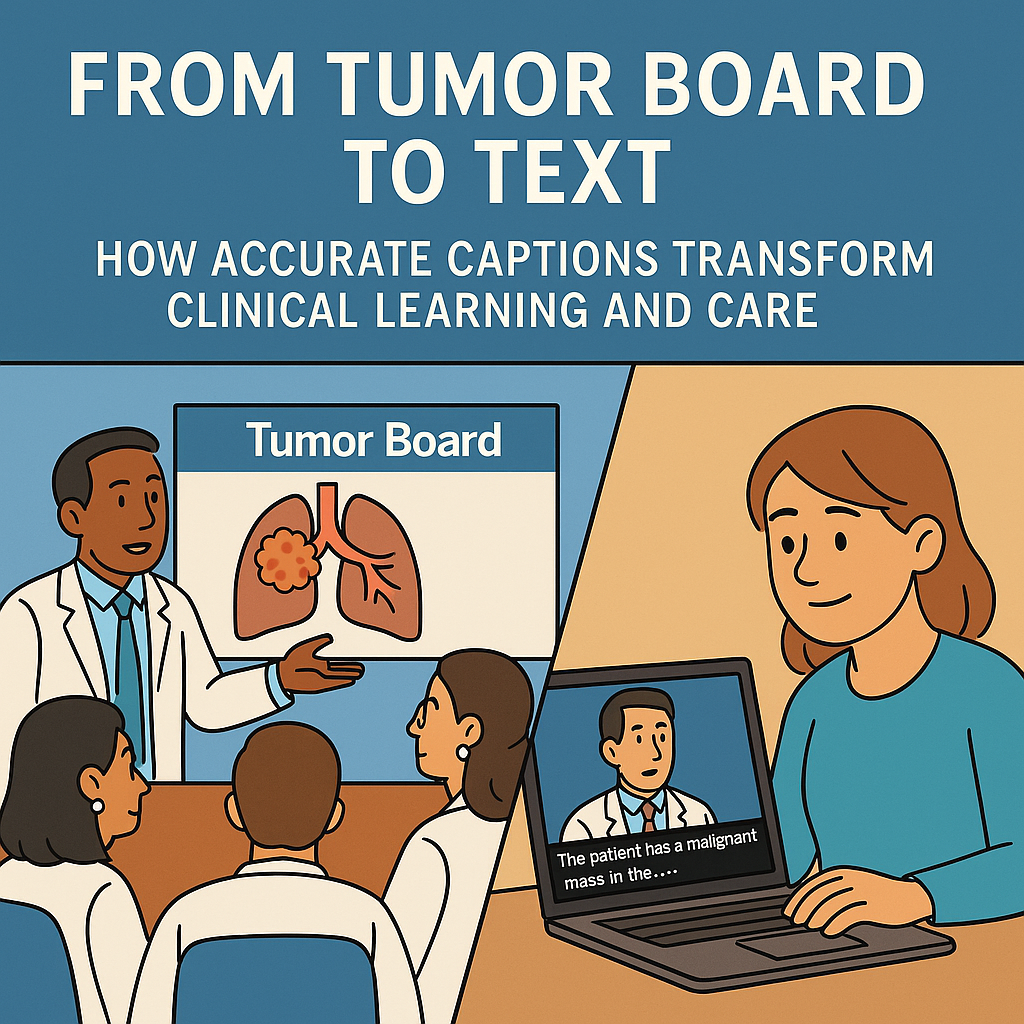
From Tumor Board to Text: How Accurate Captions Transform Clinical Learning and Care
On Tuesday mornings, the oncology team pours into a packed tumor board. A radiologist scrolls through slices, the pathologist points out a subtle mitotic figure, and someone in the back whispers the dose adjustment for renal impairment. Two hours later, a resident tries to remember exactly what was said about staging criteria—and the attending with hearing loss wonders if they missed a critical nuance. When those same discussions are captured with accurate, clinical-grade captions and transcripts, the room opens up. The resident can search for TNM, jump to the exact timestamp, and cite the recommendation correctly. The attending replays a tricky segment with clear, on-screen text. The entire team practices safer, more inclusive medicine. Why does this matter? Because in healthcare, words carry weight—doses, diagnoses, and decisions. Precision captions are not just a courtesy; they’re part of clinical quality and learning. Where Captions Change Outcomes Tumor boards and case conferences: Multi-speaker, jargon-heavy dialogues benefit from speaker labels and time-stamped clarity. Residents can review complex rationale without relistening to hours of audio.Grand rounds and CME: Accessible recordings broaden participation across time zones and abilities, and clear transcripts support CME documentation and post-event quizzes.Simulation debriefs: Trainees can reflect on communication, timing, and decision-making with a searchable, time-coded record.Telehealth group visits and patient education: Captions help patients with hearing loss, non-native speakers, or anyone watching in a noisy environment understand care plans accurately.Research meetings: Accurate transcripts create auditable trails of protocol decisions for IRB reporting and trial documentation. What Makes a Caption Clinical-Grade General auto-captions often stumble on FAST, FEV1, or filgrastim—and a misplaced decimal or unit can be dangerous. Clinical-grade captioning should include: Terminology fidelity: Correct drug names, anatomy, and acronyms. Expand acronyms on first mention (e.g., COPD—chronic obstructive pulmonary disease), then use the acronym thereafter when appropriate.Numeric accuracy: Doses, rates, units, and decimals must be exact (e.g., 0.25 mg vs 25 mg). Maintain consistent unit formatting and include Greek letters where clear context matters (e.g., alpha-1 antitrypsin).Speaker labeling: Identify speakers consistently (Radiology, Pathology, Moderator) so viewers can attribute reasoning and follow multidisciplinary dialogue.Timecoding and segmentation: 1–2 lines per caption, ~32–42 characters per line, 2–6 seconds on screen, and logical breaks at phrase boundaries. This improves readability without lag.Non-speech events: Note meaningful sounds like [applause], [laughter], or [patient enters], and describe relevant audio cues (e.g., [ultrasound Doppler audible]).Readability and style: Sentence case, minimal punctuation clutter, and consistent capitalization of proper nouns and eponyms.Confidentiality safeguards: De-identify PHI when publishing educational recordings. Use access controls, redact identifiers, and maintain audit logs for protected content.Quality assurance: Measure word error rate (WER), but also check medical-term accuracy, numbers, and abbreviations. A small WER with a wrong dose is not acceptable. MedXcribe is fine-tuned on medical data, which means it recognizes specialty terms out of the box and handles multi-speaker clinical audio with high accuracy. You can also add a custom glossary for local protocols, rare drugs, or site-specific abbreviations to further boost precision. A Practical Workflow You Can Copy This Week Before you record – Choose the room: Reduce echo (soft furnishings, closed doors) and avoid HVAC noise when possible.– Mic matters: Use a boundary or table microphone for groups or lavalier mics for presenters. Place mics close to speakers.– Set the ground rule: One speaker at a time, state drug names clearly, and verbalize numbers with units. Capture and upload – Record at 44.1–48 kHz, 16-bit or better. Avoid aggressive noise suppression that can smear consonants.– Upload to MedXcribe and select the relevant specialty profile (e.g., oncology, cardiology). Add a custom glossary (drug list, acronyms, physician names).– Turn on diarization (speaker separation) and choose caption export formats your platform needs (SRT, VTT, TXT, or DOCX transcript). Review and refine – Proofread high-stakes segments: Doses, pathways, and decisions. Use MedXcribe’s side-by-side audio player and jump by timestamps.– Standardize style: Decide on acronym expansion rules, units (SI vs conventional), and speaker labels before you publish.– Accessibility check: Ensure contrast, readable font, and proper caption placement that doesn’t obscure slides or imaging. Publish and maintain – Versioning: If a guideline changes, update the transcript and note the revision date in the caption metadata.– Distribution: Embed captions on your LMS, intranet, or video platform. Provide a downloadable transcript for keyword search and citation.– Multilingual reach: For patient education or global teams, translate the transcript into target languages, then regenerate captions. Have a bilingual reviewer confirm medical nuance. The Hidden Upside: Searchable Clinical Knowledge Once your videos have transcripts, the content becomes queryable. Residents can search “hypoalbuminemia,” researchers can find every mention of “adaptive trial,” and QI leaders can extract consistent themes from debriefs. In busy environments, this turns scattered conversations into a living, searchable knowledge base. Takeaway When clinical conversations are captioned precisely, they stop being one-time events and become lasting assets for safety, education, and inclusion. If you’re ready to turn tumor boards, grand rounds, or patient education videos into accurate, accessible resources, try MedXcribe. Upload an audio or video file, add your glossary, and see what clinical-grade captions feel like in practice.