In a world where video is the dominant form of media, accessibility is more important than ever. Whether you’re watching a tutorial on YouTube, attending a virtual lecture, or streaming your favorite show, one feature ensures that everyone can understand and enjoy the content: closed captioning (CC).
What Are Closed Captions?
Closed captions are time-synchronized text displayed on video content that transcribes dialogue, speaker identification, sound effects, and other relevant audio elements. Unlike open captions, closed captions can be toggled on or off by the viewer.
Originally designed to support individuals who are deaf or hard of hearing, closed captions have evolved into a universally beneficial feature that enhances comprehension, usability, and inclusivity for a wide range of viewers.
The Origins and Evolution of Closed Captioning
Closed captioning began in the early 1970s with experimental broadcasts on PBS (Public Broadcasting Service). In 1990, the Television Decoder Circuitry Act mandated that all televisions over 13 inches include built-in caption decoders. This marked a significant step toward accessible broadcasting.
In 2000, the FCC (Federal Communications Commission) implemented EIA-708-B (Electronic Industries Alliance standard 708-B) regulations, standardizing digital closed captioning. These rules allowed viewers to adjust caption size, font, and color. The 21st Century Communications and Video Accessibility Act later extended captioning requirements to online content, further democratizing media accessibility.
Why Closed Captioning Matters
1. Accessibility for All
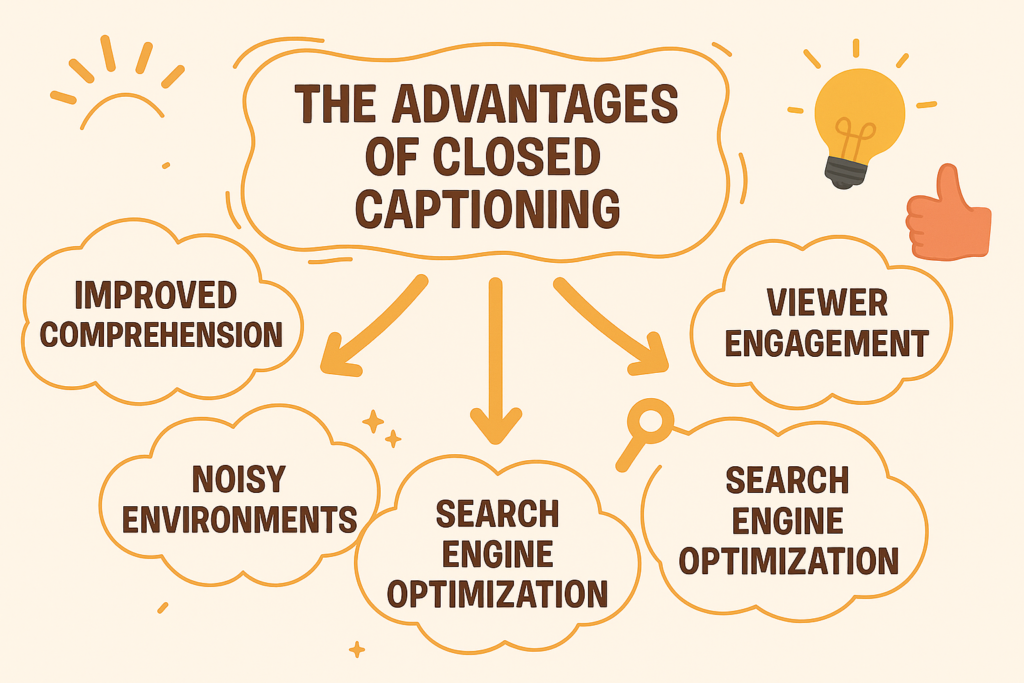
Enables those who are deaf or hard of hearing to engage with video content
Ensures compliance with accessibility laws like the ADA, FCC regulations, and WCAG standards
2. Better Comprehension
Helps viewers in noisy environments (airports, gyms) or quiet zones (libraries, hospitals)
Assists in following content with fast-paced or technical language
3. Language Learning Support
Supports ESL learners by linking spoken and written language
Helps improve spelling, pronunciation, and listening skills
4. Improved User Experience
Clarifies regional accents, mumbling, or unclear audio
Adds context through speaker IDs and non-verbal audio cues like [applause] or [laughter]
5. SEO and Engagement Boost
Increases video discoverability through indexed caption text
Enhances watch time and viewer retention
Closed Captions vs. Subtitles vs. Open Captions
Feature | Closed Captions | Subtitles | Open Captions |
Toggle On/Off | Yes | Sometimes | No |
Includes Sound Cues | Yes | No | Yes |
Accessibility Focus | Deaf/Hard of Hearing | Language Translation | Deaf/Hard of Hearing |
Customizable | Yes | Varies | No |
How Closed Captioning Works
1. Transcription
Converting spoken dialogue and relevant sounds into accurate, readable text.
Includes speaker IDs and meaningful non-verbal sounds such as [music], [applause], or [phone rings].
2. Timing
Precisely syncing each text frame with the moment it is spoken.
Ensures the text appears and disappears in harmony with natural speech cadence.
3. Formatting
Dividing content into manageable, readable lines, usually 32 characters per line.
Using high-contrast font, background shading, and proper positioning to avoid visual interference.
4. Encoding
Embedding captions into the video stream or attaching them as separate files (.SRT, .VTT, .SCC).
Ensures compatibility across platforms and devices.
Types of Closed Captions
Pre-recorded (Offline)
These captions are created, timed, and thoroughly reviewed before the video is distributed. Pre-recorded captions offer high accuracy, better formatting, and full accessibility, making them ideal for scripted content like educational videos, webinars, films, and YouTube uploads.
Real-Time (Live)
Live captions are generated on the spot during events such as news broadcasts, webinars, or sports telecasts. These are usually produced by professional stenographers using shorthand software or by AI-driven speech recognition systems. While fast and essential for accessibility in live settings, real-time captions may have slight delays and reduced accuracy compared to pre-recorded captions.
Common Challenges
1. Accuracy and Timing
Fast speech, overlapping voices, or off-script moments can lead to mismatched captions that disrupt viewer comprehension. Capturing the nuance and speed of natural conversation in real-time remains one of the toughest technical challenges.
2. Accent and Dialect
Understanding and correctly transcribing various regional accents, international dialects, or local slang requires trained ears and often specialized familiarity. Automated systems can struggle significantly with this diversity.
3. Contextual Clarity
Humor, sarcasm, idiomatic phrases, or cultural references often lose their meaning without tone or body language. Captions must be thoughtfully written to preserve intent.
4. Technical Constraints
Different video platforms support different caption file formats. Character limits, timing display delays, and line-break restrictions often force editors to truncate or condense meaningful information.
5. Environmental Disruptions in Live Captioning
Noise interference, unclear audio, or simultaneous speakers can complicate live captioning accuracy. This requires either real-time human correction or advanced AI tools, both of which have their limitations.
Best Practices for Effective Captioning
Maintain verbatim accuracy, including filler words, pauses, and speaker emotions
Identify speakers clearly when not visible on screen
Include non-speech elements like music, environmental noise, or significant background sounds
Ensure consistent formatting, with clear font, size, color, and placement
Sync captions with natural speech rhythms, accounting for pacing and scene transitions
Use proper grammar and punctuation to enhance readability
Test captions on different platforms and gather user feedback for continuous improvement
Popular Tools and File Formats
Captioning Tools:
Aegisub – Open-source tool for professional subtitling and typesetting
Amara – Browser-based collaborative subtitle editor for communities and organizations
Kapwing – User-friendly online editor for quick automatic and manual captioning
Rev – Paid service offering professional-grade human and AI-generated captions with high accuracy
Common File Formats:
Format | Use Case |
SRT | Web, YouTube |
VTT | HTML5 playback |
SCC | Broadcast, iOS |
DFXP | Flash Players |
The Future of Closed Captioning
AI & Machine Learning: Improved voice recognition models are making captions faster and more accurate, especially in real-time scenarios.
Cross-Platform Support: Growing demand for uniform caption playback across devices, from mobile and smart TVs to VR and AR environments.
Multilingual Live Captioning: Real-time language translation and multilingual support for global accessibility.
Augmented Reality Integration: Captions overlaid in real space to aid immersive learning and navigation experiences.
Expanded Legal Standards: Stricter global accessibility regulations will drive adoption across sectors, from corporate meetings to online classrooms.
Final Thoughts
Closed captioning is more than a subtitle—it’s a tool for equity. As creators, educators, and technologists, our responsibility is to ensure no one is left out of the conversation.
From boosting comprehension in a crowded café to helping someone with hearing loss enjoy a documentary, captions empower connection. They unlock content for all, regardless of hearing ability, location, or language proficiency.
By embracing closed captioning, you’re not just enhancing your video—you’re amplifying your message to reach every mind and every ear.